 Click main image to view in full screen. Unlock all 14 preview images:
Suspicious Activity Report Case and MLRO Decision Engine – Excel XLSX
Excel (XLSX) + Zip archive file (ZIP)


VIDEO DEMO
BENEFITS OF THIS DOWNLOADABLE EXCEL DOCUMENT
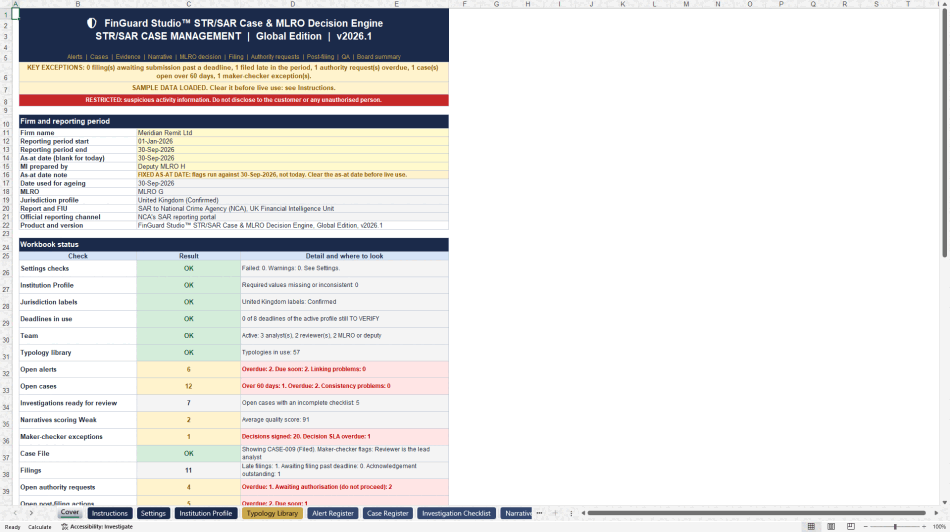
- Gives the MLRO a complete record of every alert, investigation and decision, with a name, a date and a written reason.
- Flags overdue alerts, late filings and maker-checker exceptions against the deadlines of six jurisdiction profiles.
- Produces a printable case file and a one-page board summary with no customer details.
COMPLIANCE EXCEL DESCRIPTION
An alert fires. What happens next is what examiners ask about. Why was this alert closed? Who reviewed the investigation? Why did the MLRO decide not to file? Why was this report filed late? The findings that come up again and again in financial crime reviews are about the steps after detection: alerts left to age, late reports, decisions with no written reason, and no follow-up once a report is filed.
The Suspicious Activity Report Case and MLRO Decision Engine keeps the answer to each of those questions in one workbook, without the cost of case management software. It covers suspicious transaction reports (STR), suspicious activity reports (SAR) and suspicious matter reports (SMR).
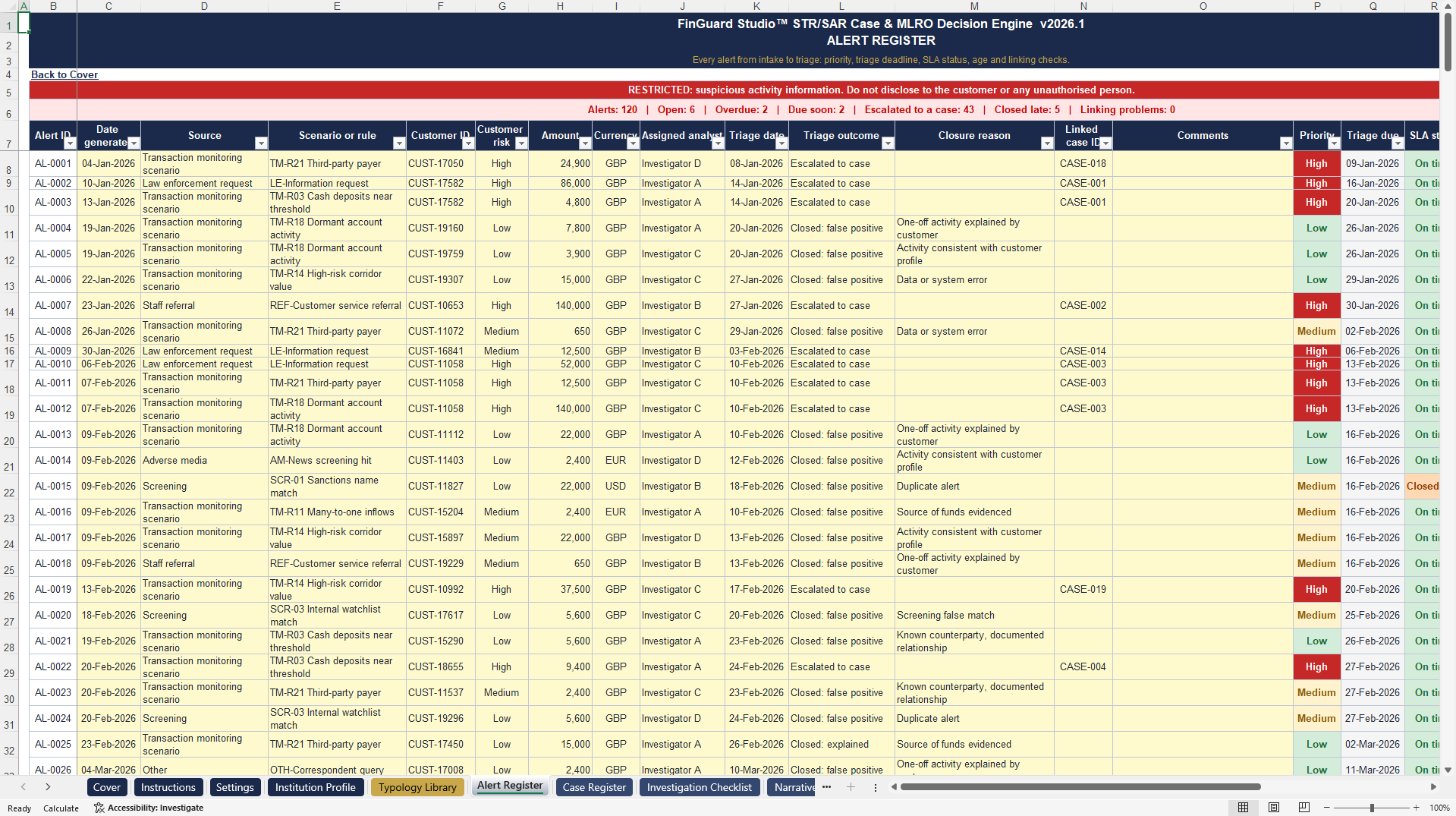
Alerts and cases. The Alert Register holds 500 alerts with priority, triage deadline, ageing and service level status. Each alert is closed with a reason or escalated to a case. The Case Register holds 200 cases linked to their alerts, with typology, stage, ageing and overdue flags. A library of 57 typologies with red flags is included.
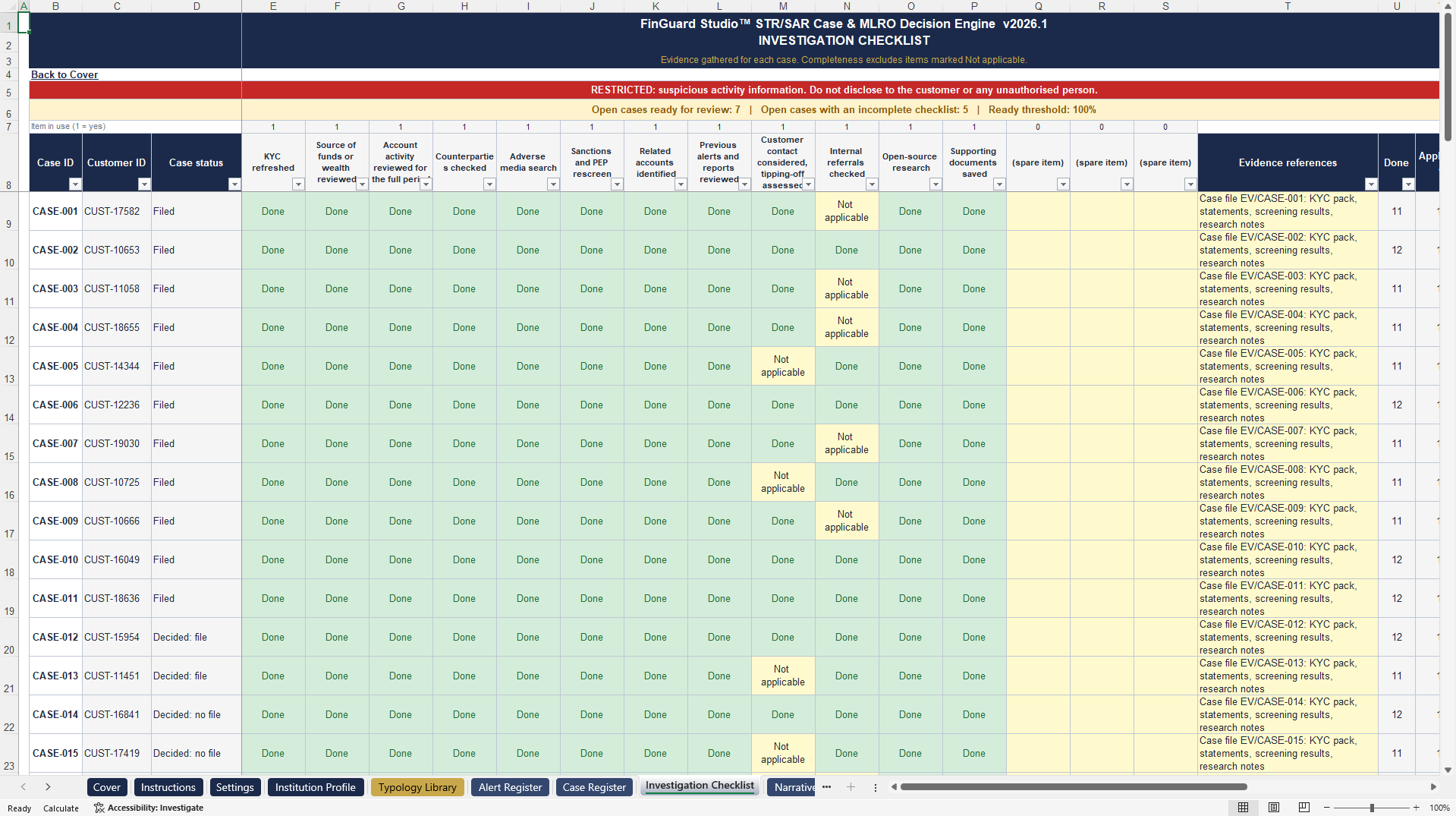
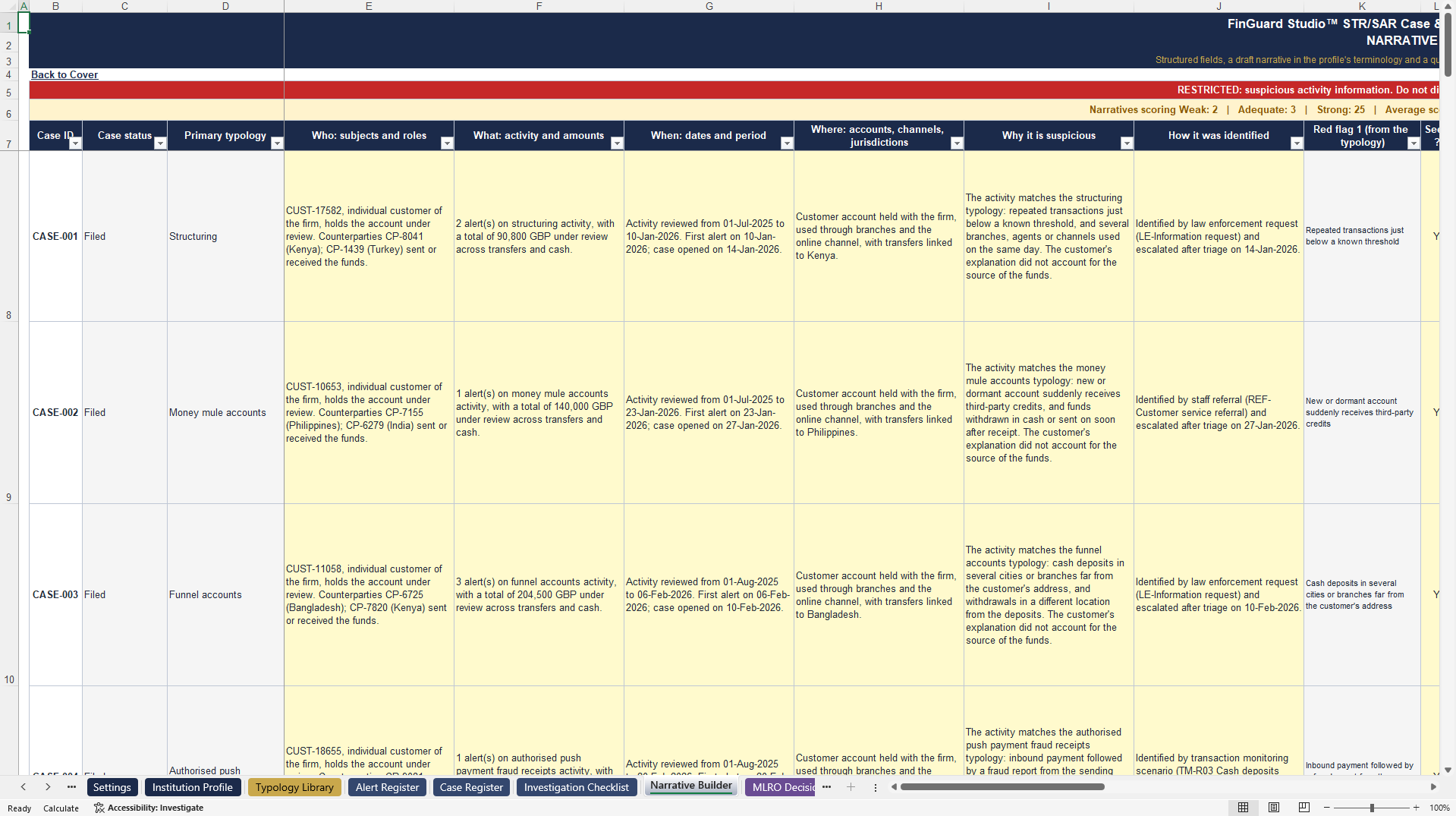
Investigation and narrative. Each case has a 12-item evidence checklist with one completeness score. The Narrative Builder asks who, what, when, where, why and how, drafts the narrative, scores it out of 100 and lists what is missing in plain words.
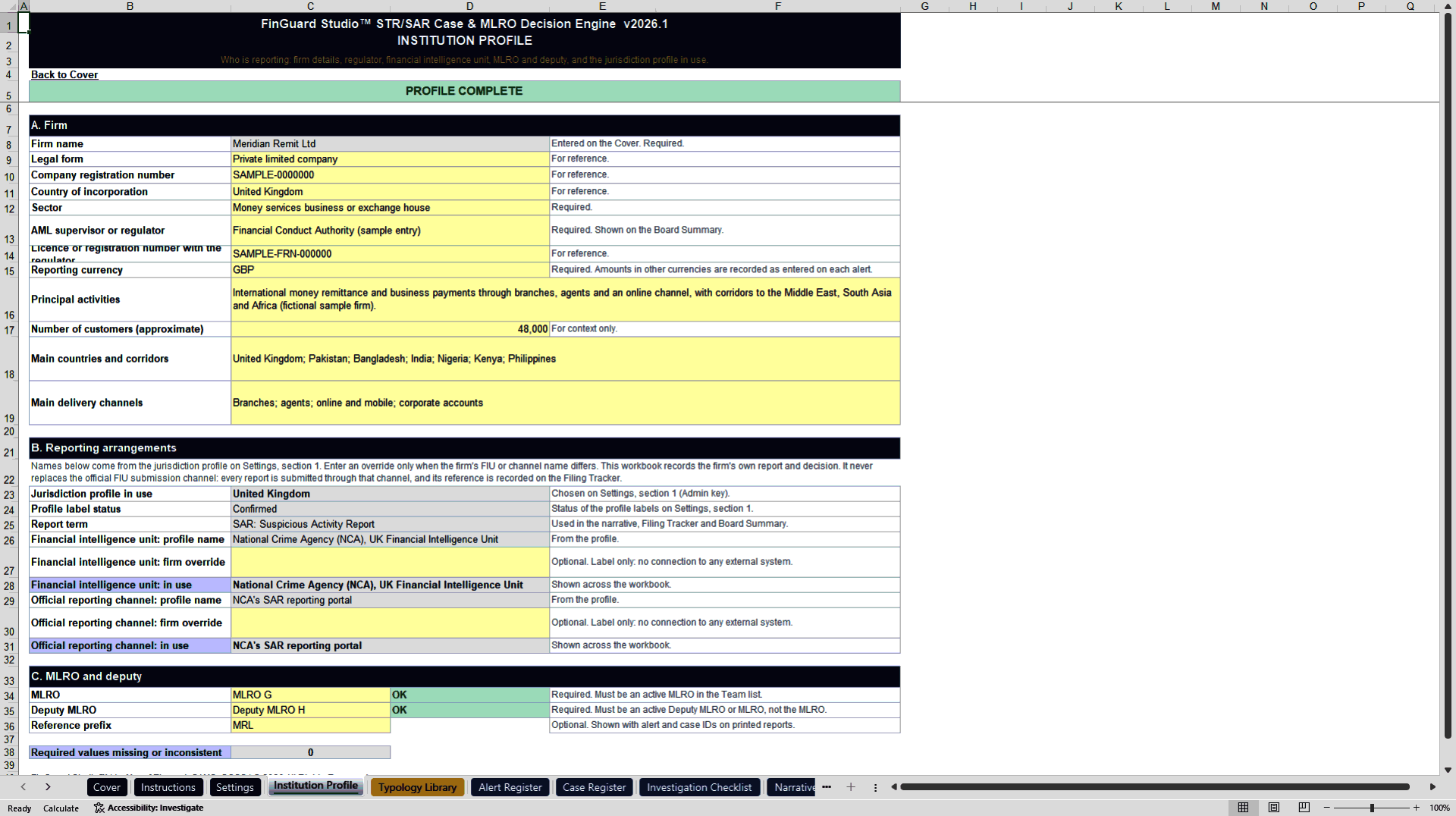
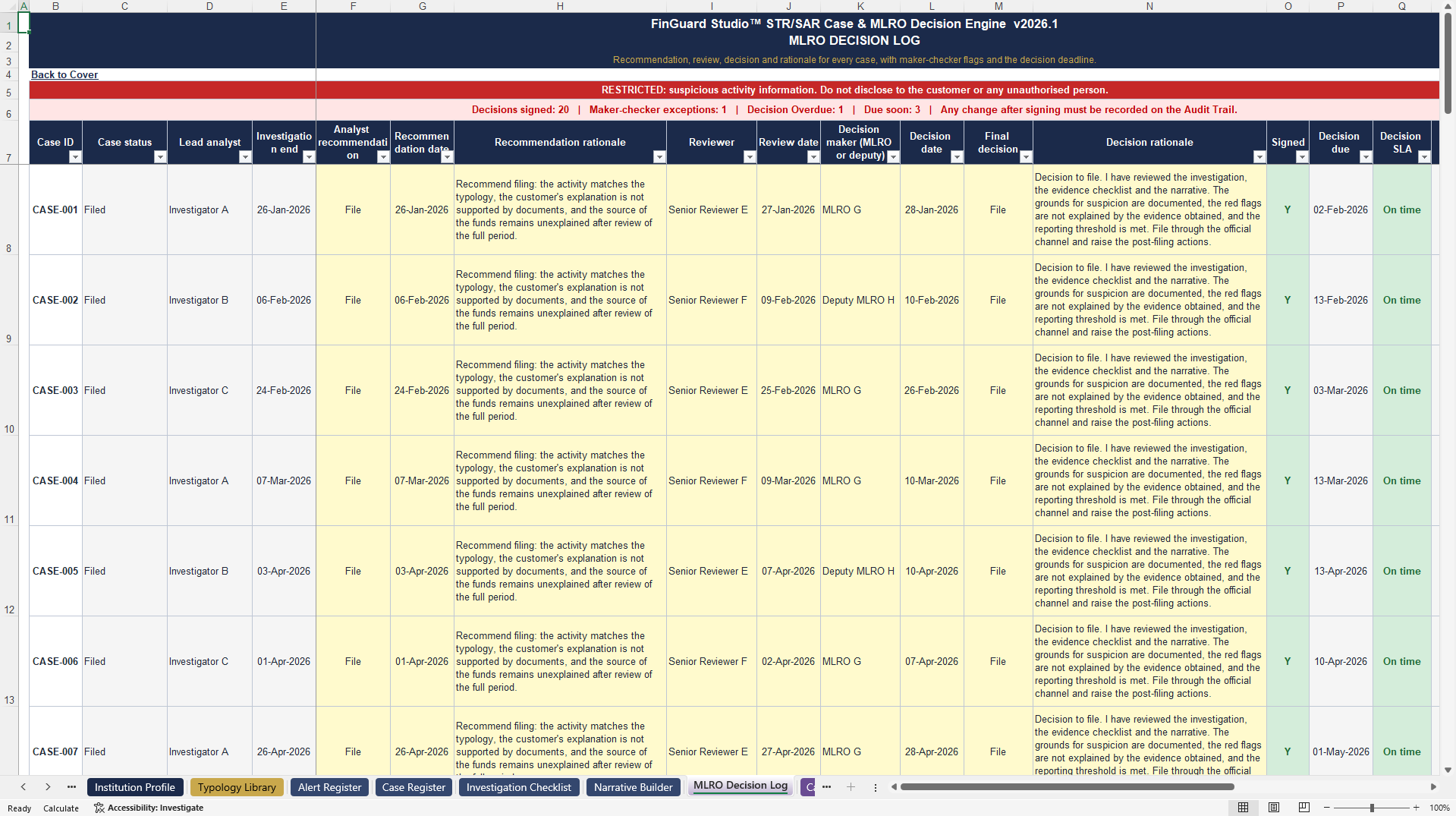
MLRO decision. The Decision Log records the analyst recommendation, the reviewer and the MLRO decision, each with a name, a date and a written rationale. Maker-checker exceptions are flagged, such as a reviewer who is also the lead analyst.
Filing and follow-up. The Filing Tracker runs deadline clocks from detection and from decision and flags late filings. Authority Requests tracks information requests, consent or defence requests and freezes with their response deadlines. Six post-filing actions are raised for every filed case, from the tipping-off check to the exit decision.
Assurance and reporting. QA Sampling draws a repeatable sample of closed alerts and no-file decisions and shows error rates by analyst. The Case File prints one case as a record. The Dashboard and the one-page Board Summary show volumes, timeliness, quality and exceptions. The board page shows counts and typologies only, with no customer details.
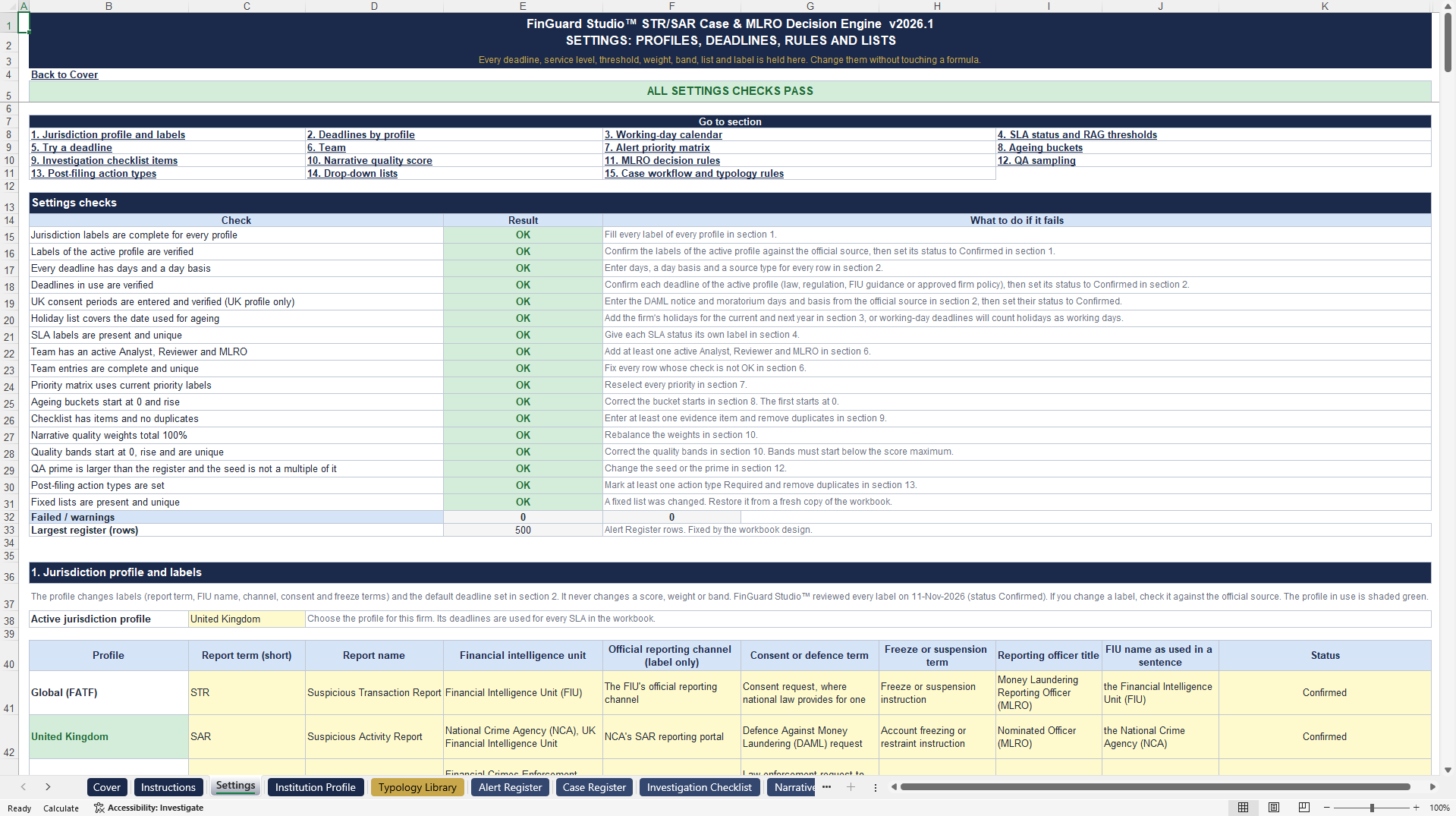
Six jurisdiction profiles are included: Global (FATF), United Kingdom, United States, Canada, Australia and European Union. The profile sets the report name and the filing clock, including the United States 30-day rule with its 60-day limit where no suspect is identified, Australia's 3 business days and 24 hours for terrorism financing, and the United Kingdom consent notice and moratorium periods. Every deadline stays editable on a protected Settings sheet.
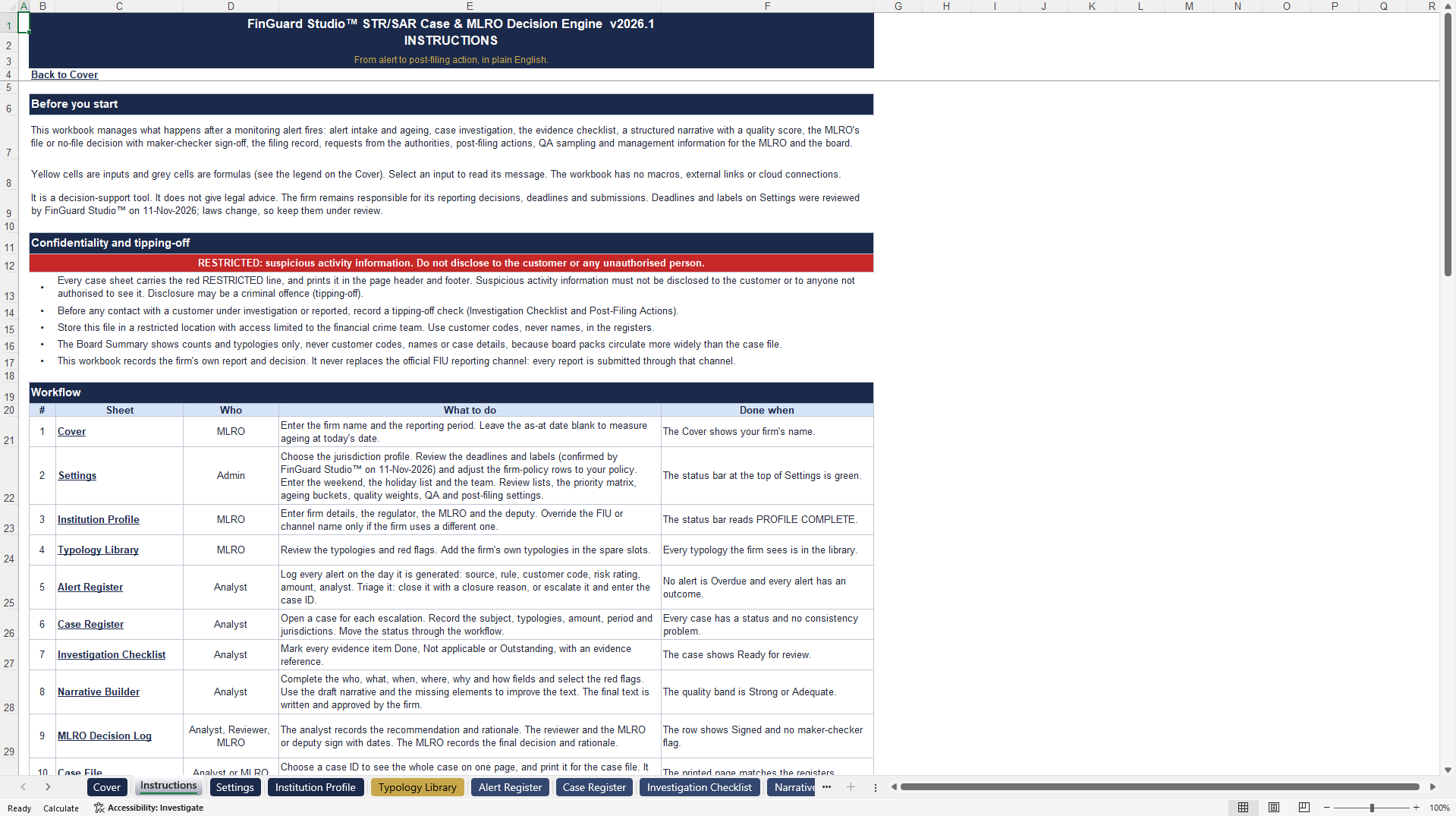
The workbook has 19 sheets and 42,444 formulas with zero formula errors, and needs Microsoft Excel 2016 or later. It contains no macros.
The primary document is the full workbook. The secondary document is a ZIP file with a DEMO workbook built on a fictional sample firm, the User Guide, the Access Keys for the Admin, MLRO and Analyst roles, and the Terms of Use. One licence covers one legal entity.
This is a decision-support tool. It records the firm's own cases and decisions, never replaces the official reporting channel of the financial intelligence unit, and does not give legal advice.
Got a question about the product? Email us at support@flevy.com or ask the author directly by using the "Ask the Author a Question" form. If you cannot view the preview above this document description, go here to view the large preview instead.
Source: Best Practices in Compliance, Financial Services Industry Excel: Suspicious Activity Report Case and MLRO Decision Engine Excel (XLSX) Spreadsheet, FinGuard Studio
ABOUT THE AUTHOR

FinGuard Studio builds practical, audit-ready Excel tools for finance, risk and compliance teams. Every product is plain Excel with no macros, add-ins or external links, so formulas stay open, documented and easy to review.
Our compliance range includes FinGuard Studio Pro, an AML/KYC customer risk scoring engine covering FATF, OFAC, UN and EU sanctions frameworks with automatic override
... [read more]
Ask the Author a Question
You must be logged in to contact the author.