
 Click main image to view in full screen.
ERP Data Migration, Reconciliation, and Cutover Toolkit – Excel XLSX
Excel (XLSX)


BENEFITS OF THIS DOWNLOADABLE EXCEL DOCUMENT
- Gives a migration one source of truth for scope, field mapping, cleansing, load cycles and reconciliation.
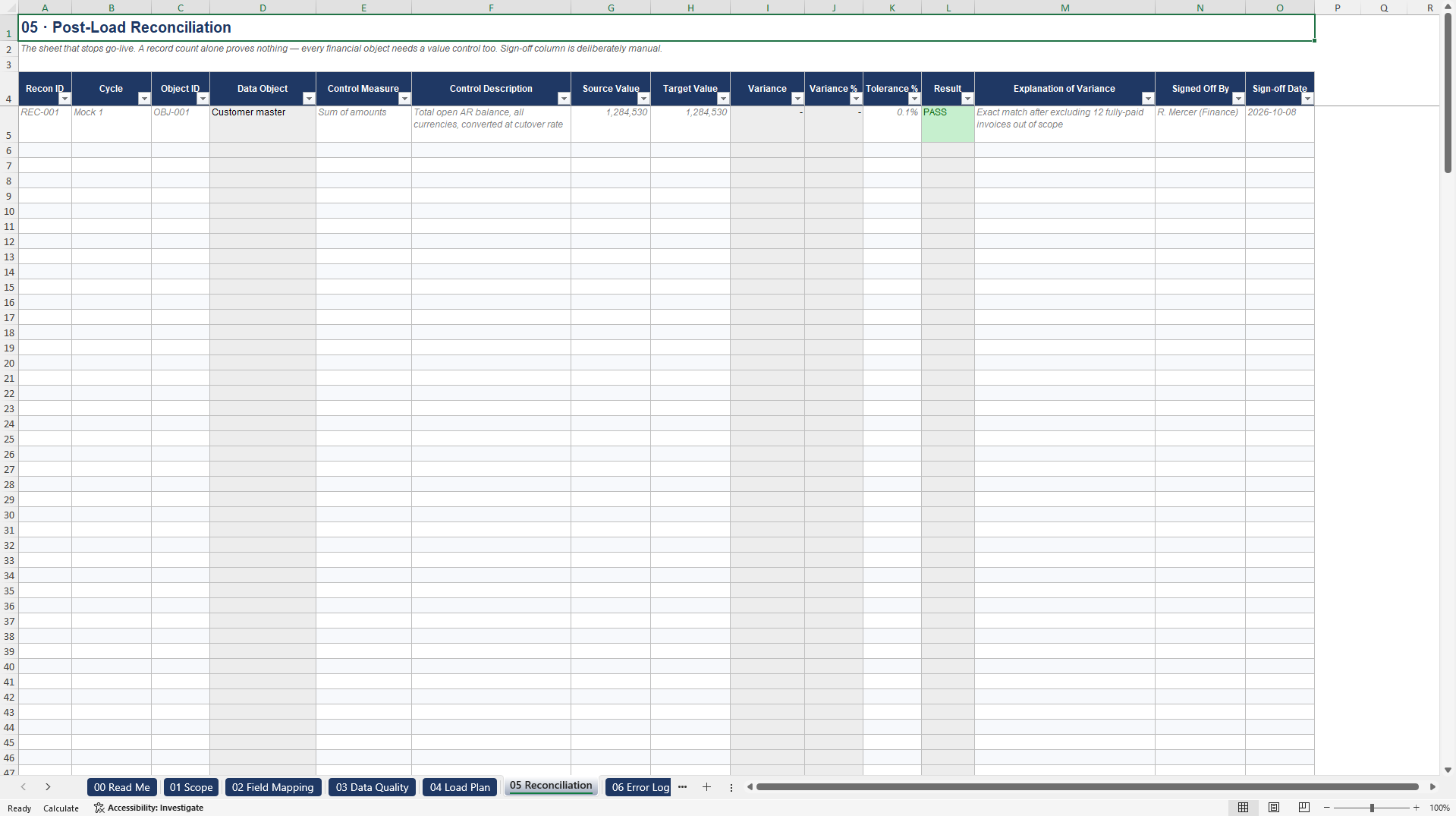
- Produces an automatic PASS or FAIL verdict on every control total, against a tolerance you set yourself.
- Sequences the cutover from D-5 to D+5 with Go/No-Go gates and written rollback triggers.
INFORMATION TECHNOLOGY EXCEL DESCRIPTION
Most ERP programmes do not fail at configuration. They fail on the weekend the data moves, when someone from finance asks whether the balances tie out and nobody can answer with a number.
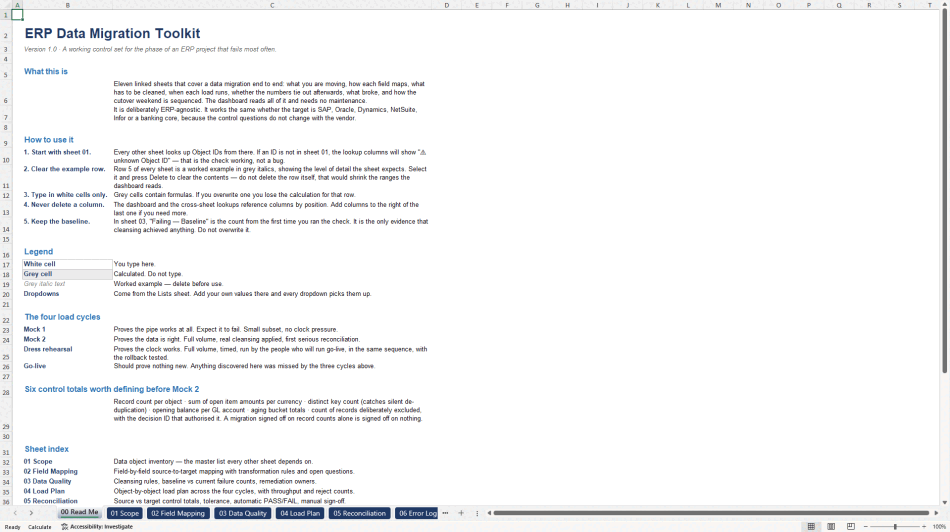
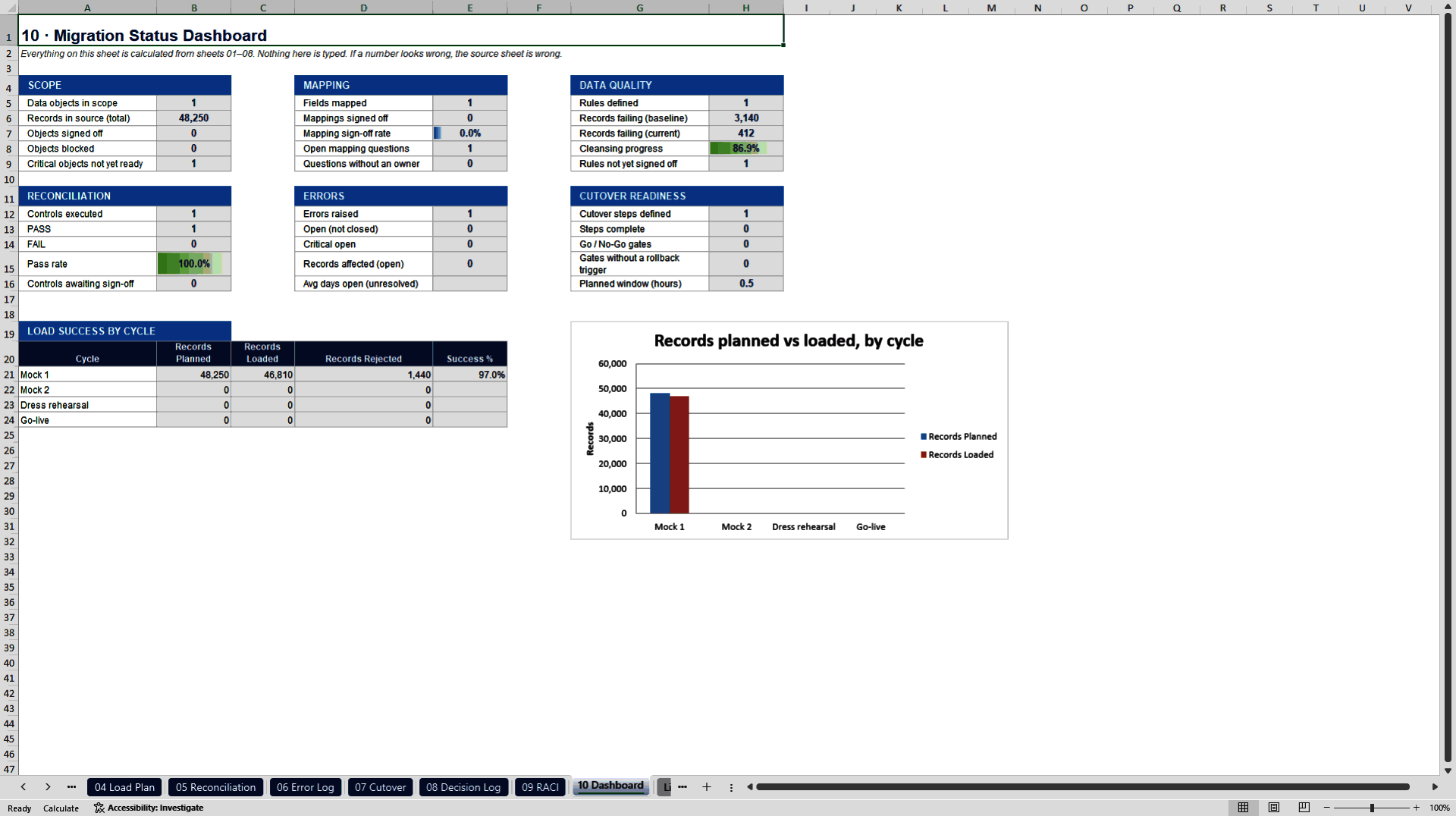
This is the control set for that phase. Eleven linked worksheets take a migration from "which data objects are even in scope" through field-level mapping, data cleansing evidence, four load cycles, post-load reconciliation with an automatic PASS/FAIL against your own tolerance, an error and reprocessing log, and a D-5 to D+5 cutover sequence with Go/No-Go gates and rollback triggers. A dashboard reads every sheet and needs no maintenance.
It is deliberately ERP-agnostic. The control questions do not change with the vendor, so it works the same whether the target is SAP, Oracle, Dynamics 365, NetSuite, Infor or a banking core.
WHAT IS INSIDE
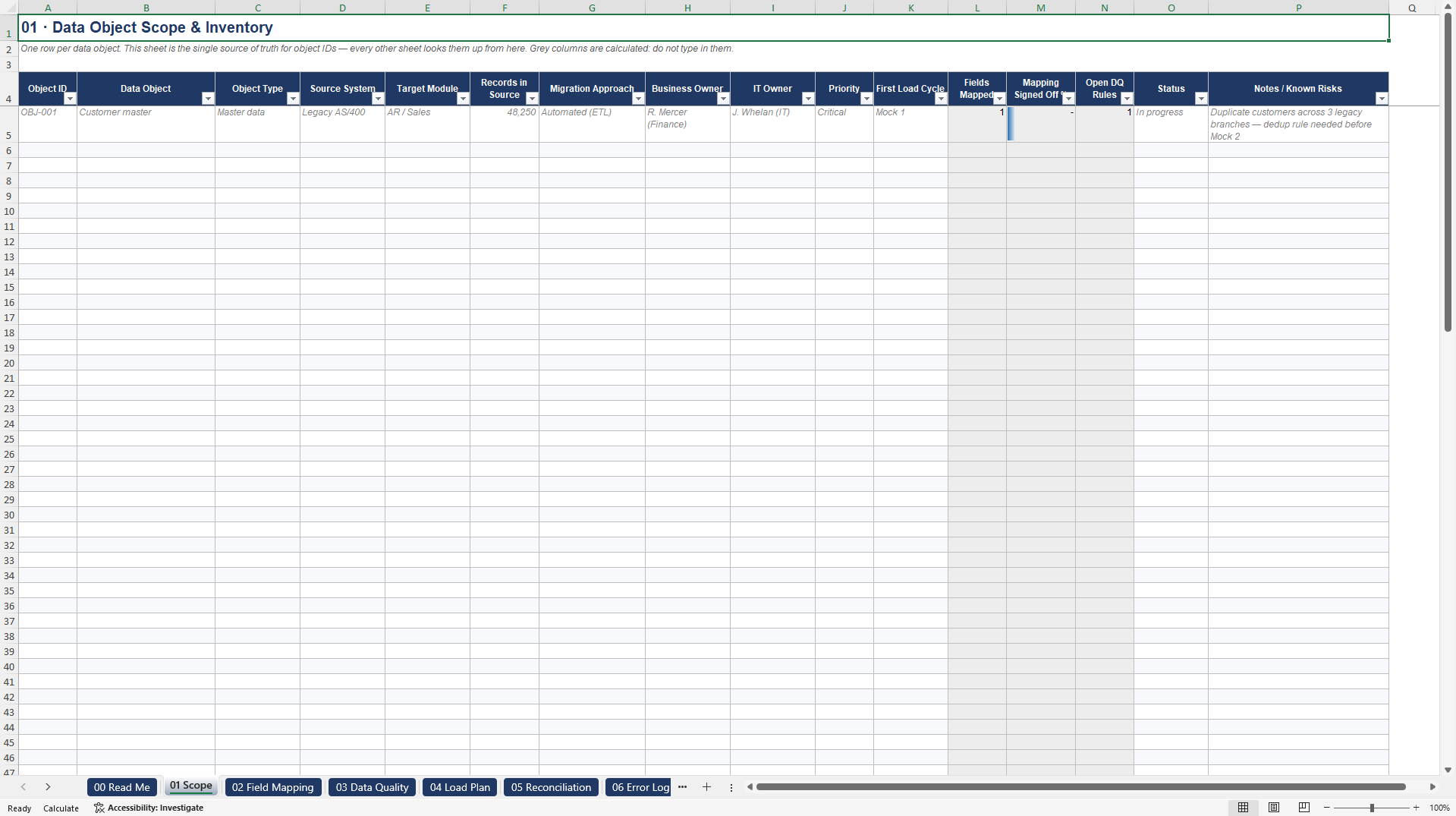
01 Scope. Data object inventory; the single source of truth every other sheet looks up.
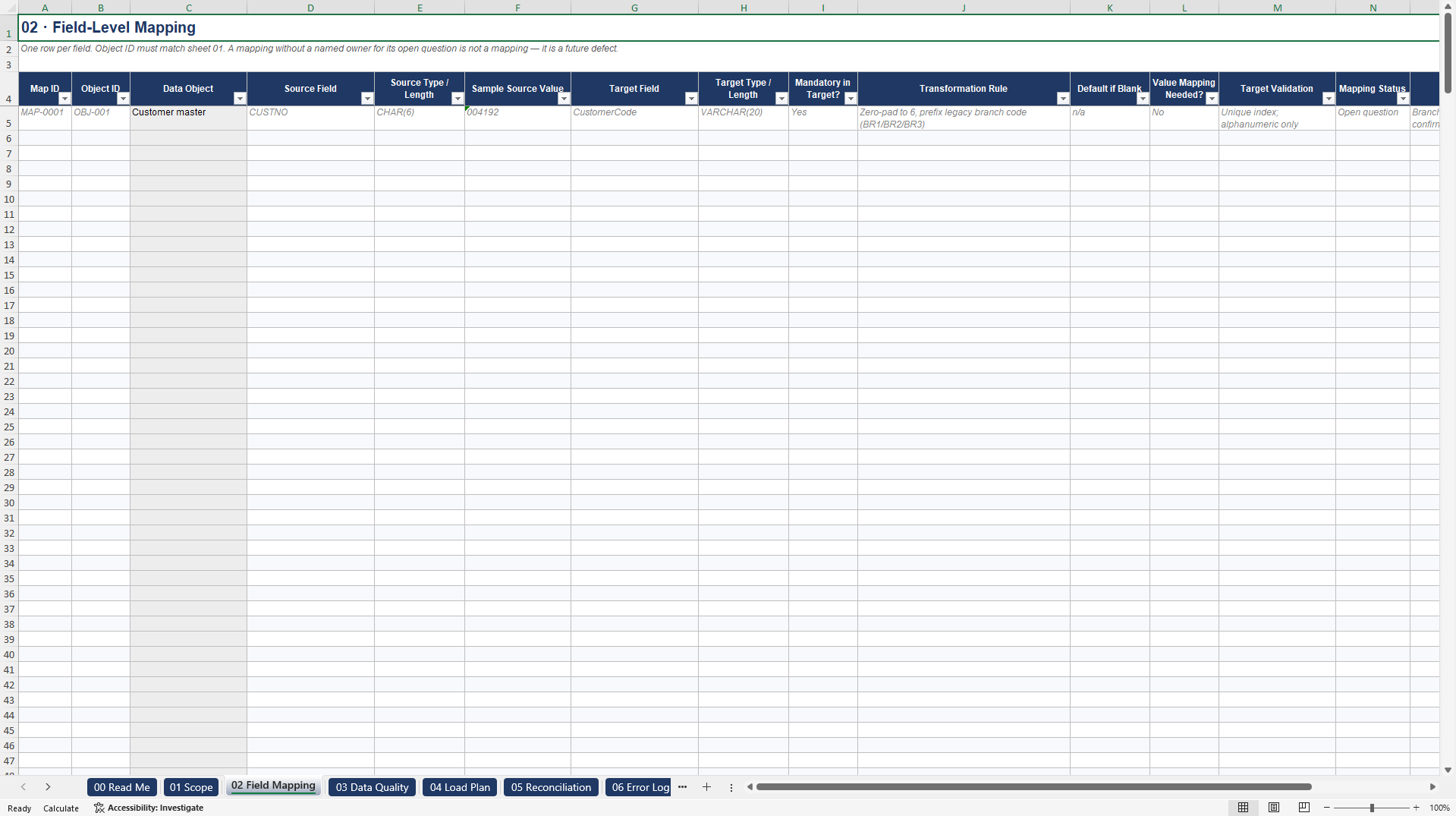
02 Field Mapping. 400 rows for source-to-target mapping, transformation rules, and open questions with a named owner.
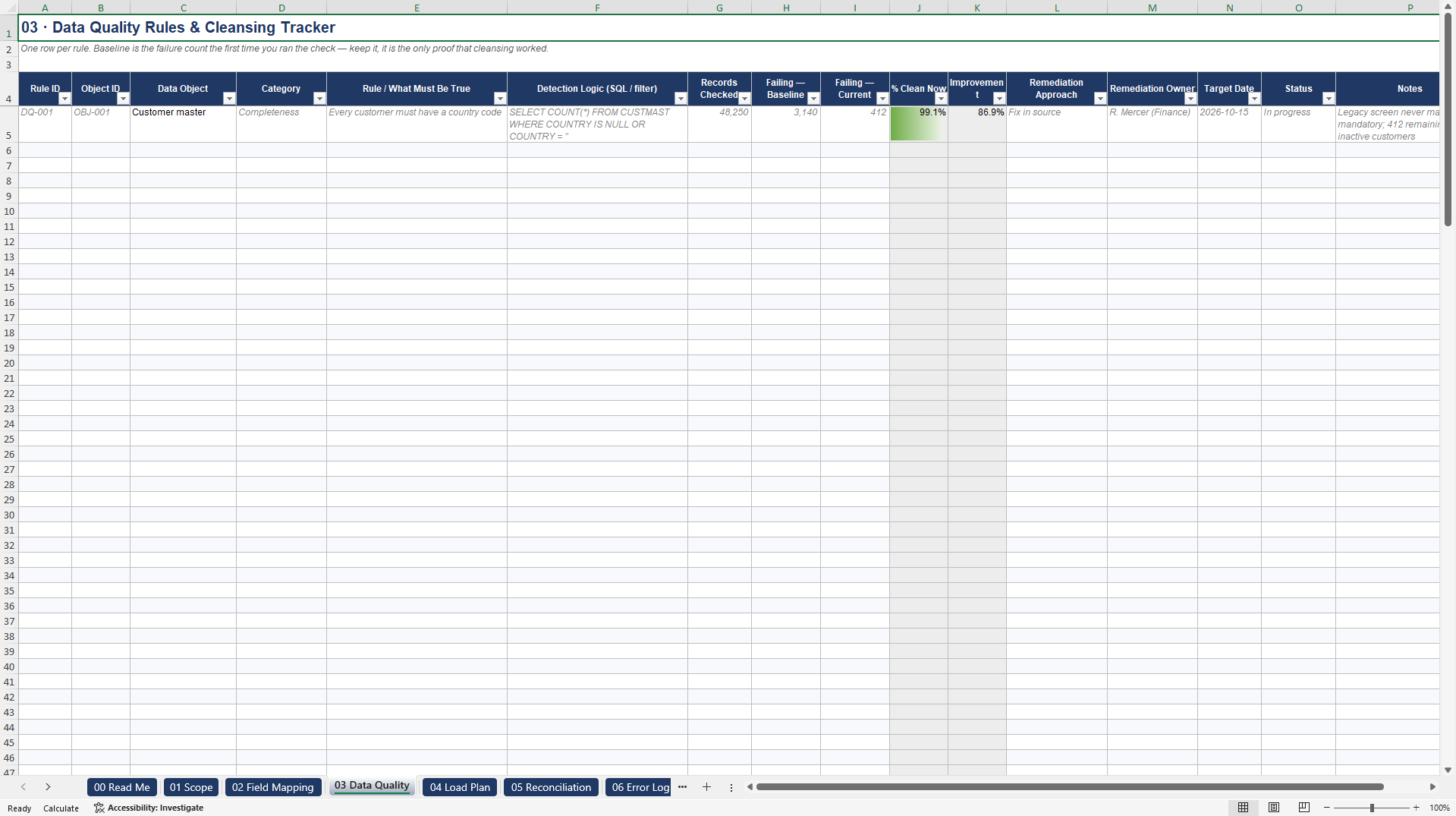
03 Data Quality. Cleansing rules with baseline versus current failure counts, so you can prove cleansing worked.
04 Load Plan. Object-by-object plan across Mock 1, Mock 2, dress rehearsal and go-live, with throughput and reject counts.
05 Reconciliation. Source versus target control totals, your tolerance per control, automatic PASS/FAIL, manual sign-off.
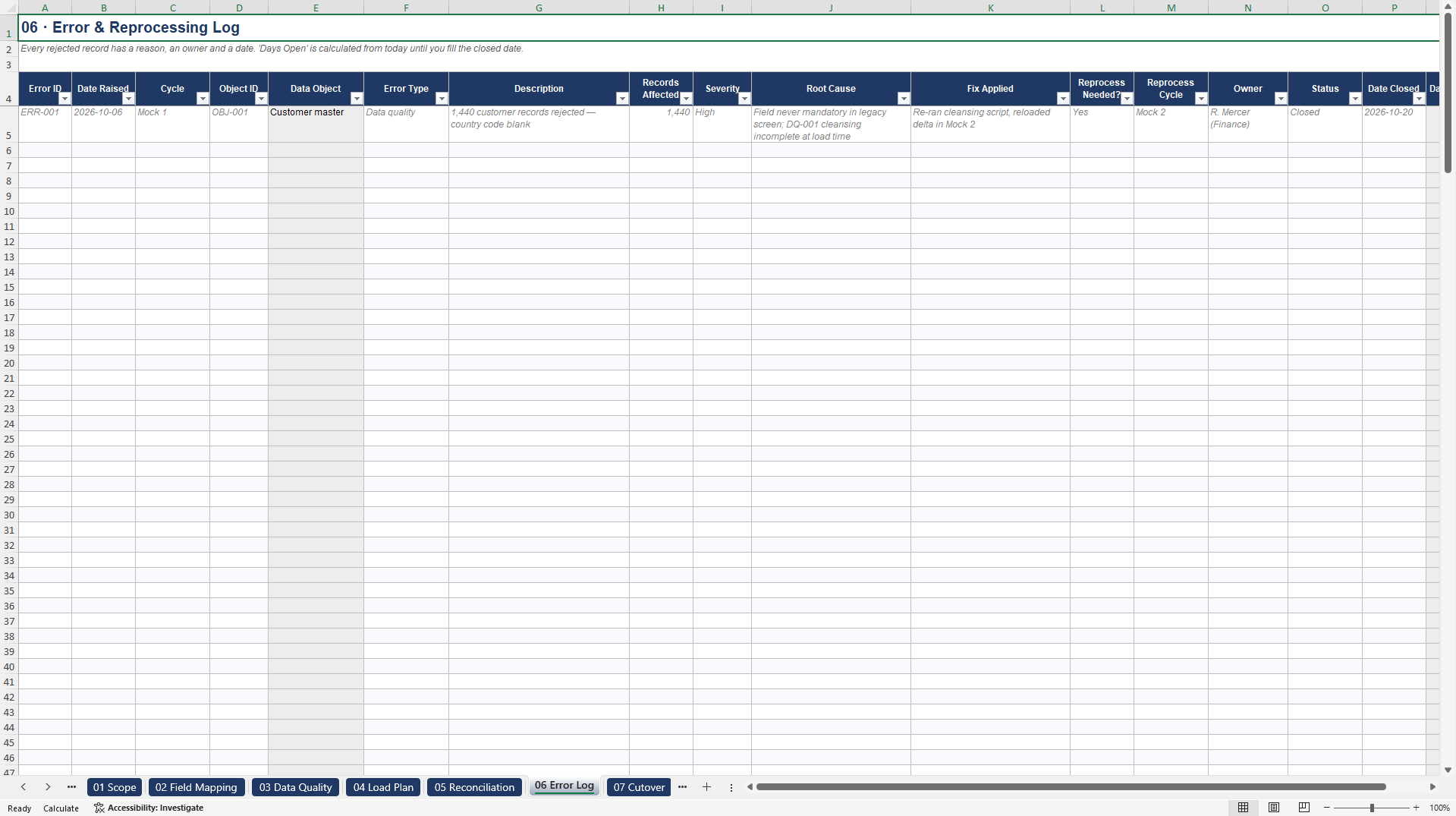
06 Error Log. Rejected records, root cause, fix, reprocessing cycle, days open.
07 Cutover. D-5 to D+5 sequence with Go/No-Go gates and written rollback triggers.
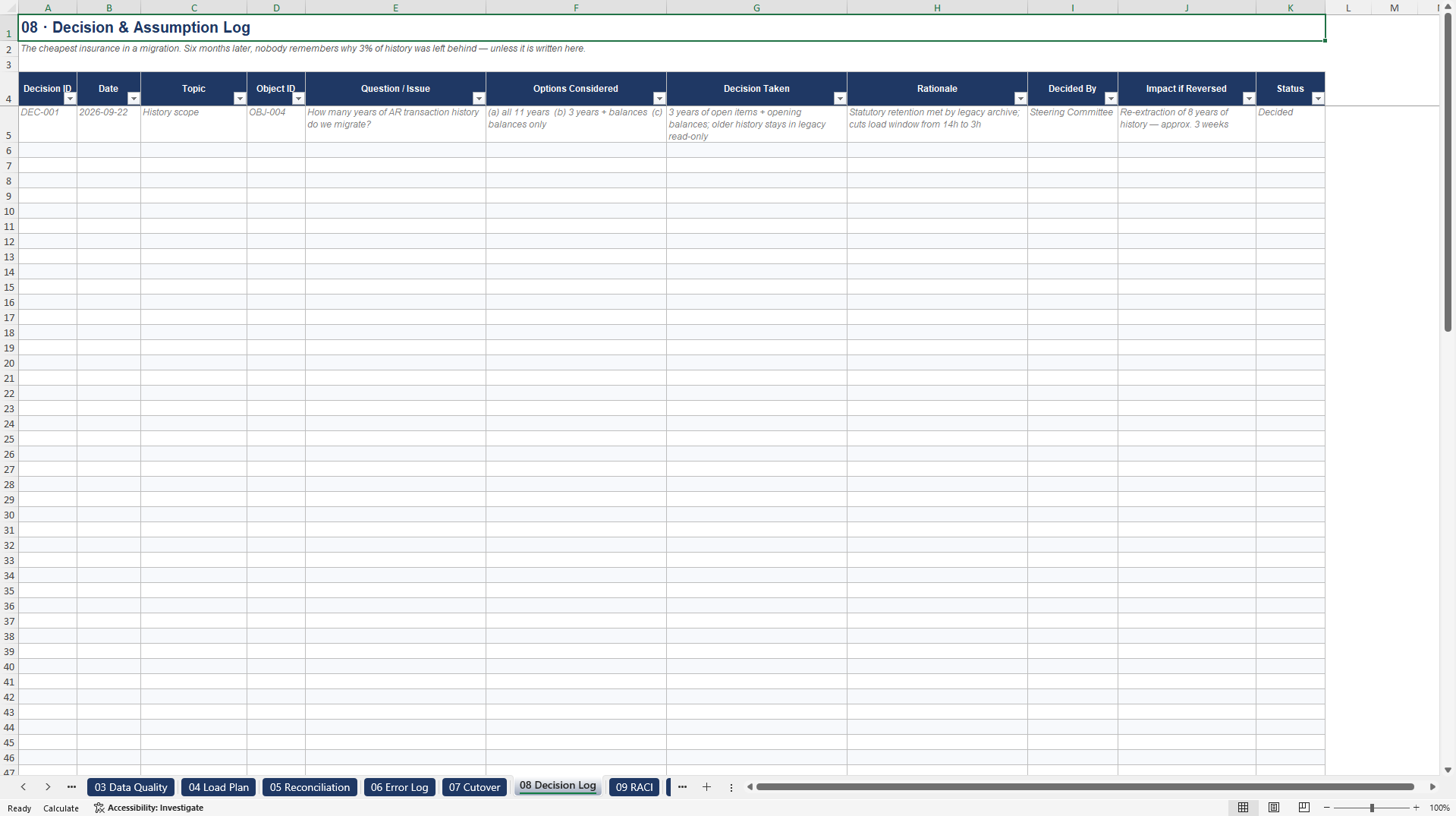
08 Decision Log. Scope decisions with rationale and the cost of reversing them.
09 RACI. Accountability per workstream plus cutover-weekend contacts.
10 Dashboard. Calculated roll-up across every sheet.
Lists. Every dropdown value, editable.
BUILT IN
Cross-sheet validation: an Object ID that does not exist in sheet 01 is flagged, not silently accepted.
An automatic reconciliation verdict against a tolerance you set per control, including the case where the source value is legitimately zero.
Dropdowns throughout, so twelve people fill it in the same way.
A worked example on the first row of every sheet, showing the level of detail expected.
No macros. It opens in Excel, LibreOffice and Google Sheets.
WHO IT IS FOR
ERP implementation consultants and project managers, data migration leads, finance data owners who have to sign off balances, and internal teams preparing a first go-live.
LICENCE
Use and adapt this workbook on your own organisation's implementation, replacement or consolidation projects, and on client engagements delivered for third parties, by the individual or firm that purchased it. One purchase covers one user. Do not resell, redistribute or publish it, in whole or in part, as a template or as part of another product.
Got a question about the product? Email us at support@flevy.com or ask the author directly by using the "Ask the Author a Question" form. If you cannot view the preview above this document description, go here to view the large preview instead.
Source: Best Practices in Information Technology, ERP Excel: ERP Data Migration, Reconciliation, and Cutover Toolkit Excel (XLSX) Spreadsheet, Cutover Kit
ABOUT THE AUTHOR

Cutover Kit publishes practical control sets for the phases of an ERP programme where projects actually fail: data migration, reconciliation, user acceptance testing and the cutover weekend.
Every toolkit is built to be used on a real project rather than to look good in a proposal. The sheets are linked and validate each other, so a reference that does not exist is flagged instead of quietly
... [read more]
Ask the Author a Question
You must be logged in to contact the author.




























