 Click main image to view in full screen. Unlock all 10 preview images:
DevOps & Cloud Operations | SRE, Risk & KPI Dashboard – Excel XLSX
Excel (XLSX) + Zip archive file (ZIP)


BENEFITS OF THIS DOWNLOADABLE EXCEL DOCUMENT
- Coordinate infrastructure tasks, deployments, security risks, operational changes, vulnerabilities, cloud costs, compliance controls, resources, monitoring and stakeholder reporting in ten structured modules.
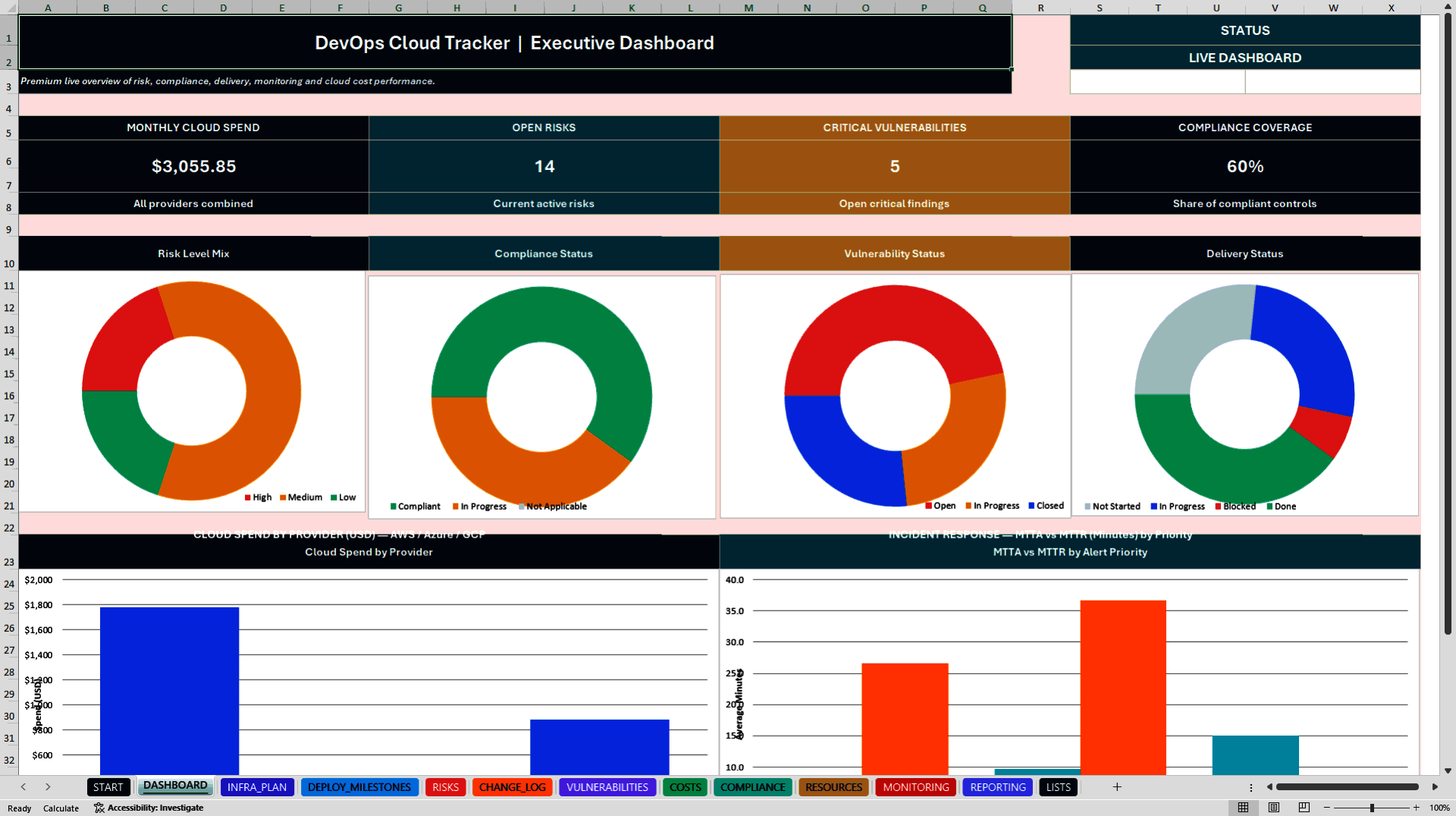
- Use an Executive Dashboard with four KPI cards and six native Excel charts for risk exposure, control status, vulnerability remediation, deployment progress, provider spend and alert response performance.
- Receive a 14-sheet macro-free Excel tracker, a standalone Incident Snapshot workbook with incident KPIs, MTTA/MTTR and follow-up status, plus a six-page English illustrated PDF user guide.
CLOUD EXCEL DESCRIPTION
DEVOPS & CLOUD OPERATIONS TRACKER – PREMIUM EXCEL 10-IN-1
Infrastructure | Deployments | SRE Monitoring | Cloud Spend | Security Risk | Compliance
Bring structure, control and consistent reporting to DevOps and cloud operations with a professional 14-sheet Microsoft Excel workbook and a separate incident-review companion.
The toolkit helps teams document operational tasks, assess risks, follow deployments, review vulnerabilities and track cloud costs without introducing a new cloud service or subscription.
📊 EXECUTIVE DASHBOARD
Four formula-driven KPI cards summarize:
• Current-Month Cloud Spend
• Active Project Risks
• Critical Vulnerabilities
• Applicable Compliance Coverage
Six native Excel charts visualize risk exposure, compliance status, vulnerability remediation, deployment status, current-month cloud spend by provider and MTTA versus MTTR by alert priority.
⚙️ TEN MAIN OPERATIONAL MODULES
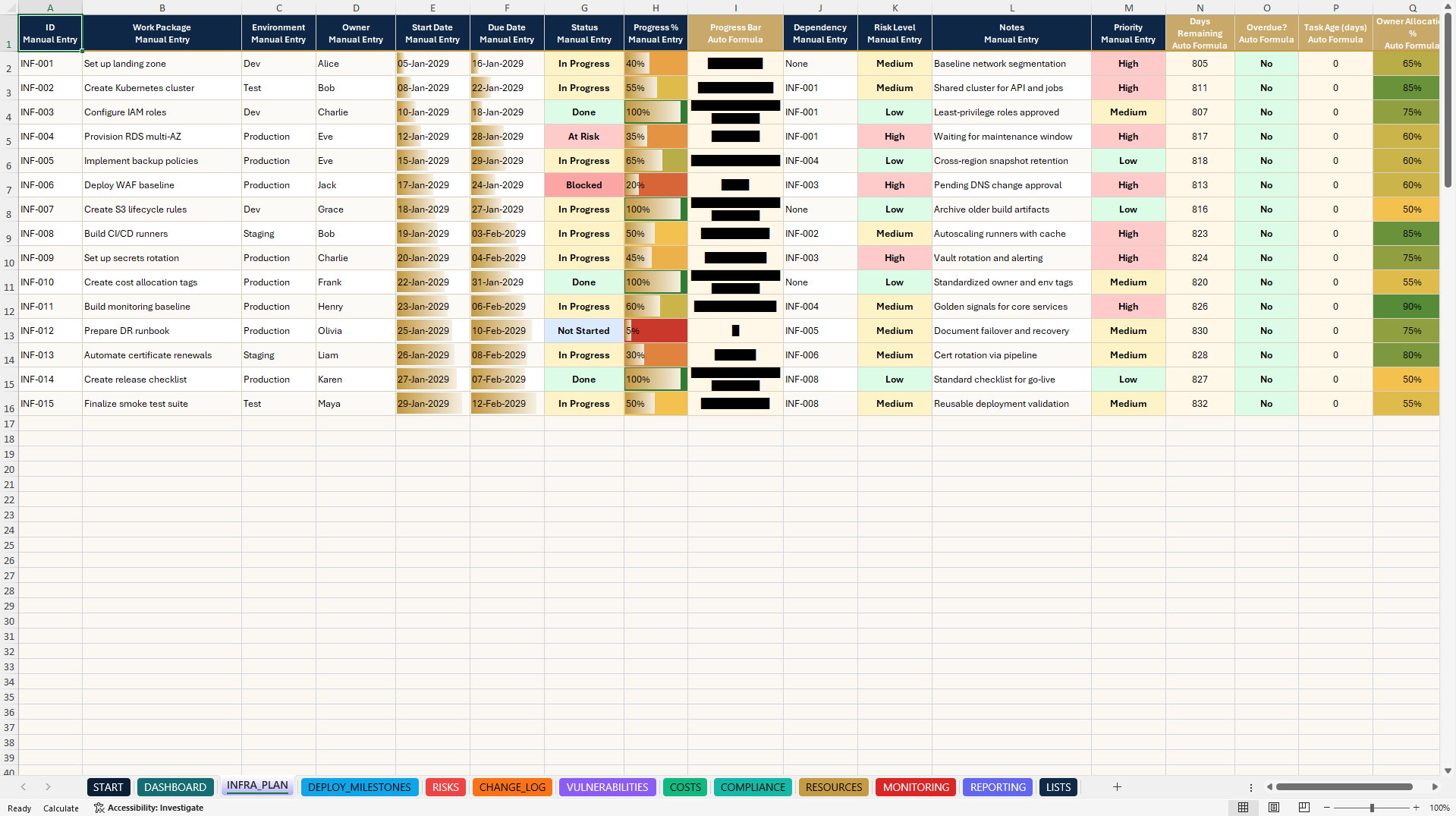
1. INFRASTRUCTURE PLANNING
Track infrastructure tasks, owners, start and end dates, progress, dependencies, workload and overdue indicators.
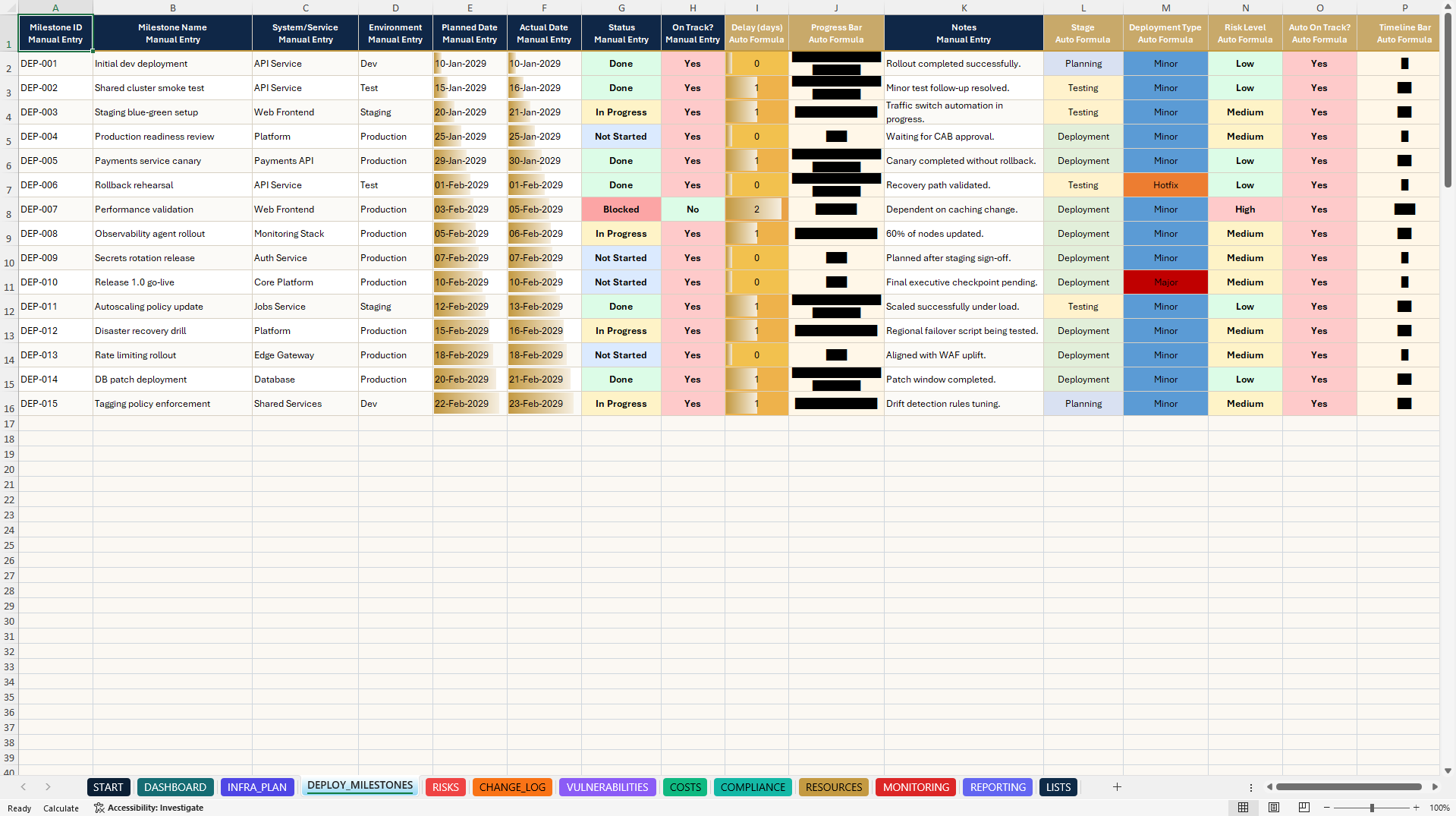
2. DEPLOYMENT MILESTONES
Manage deployment environments, project milestones, target dates, approvals, statuses and go-live follow-up.
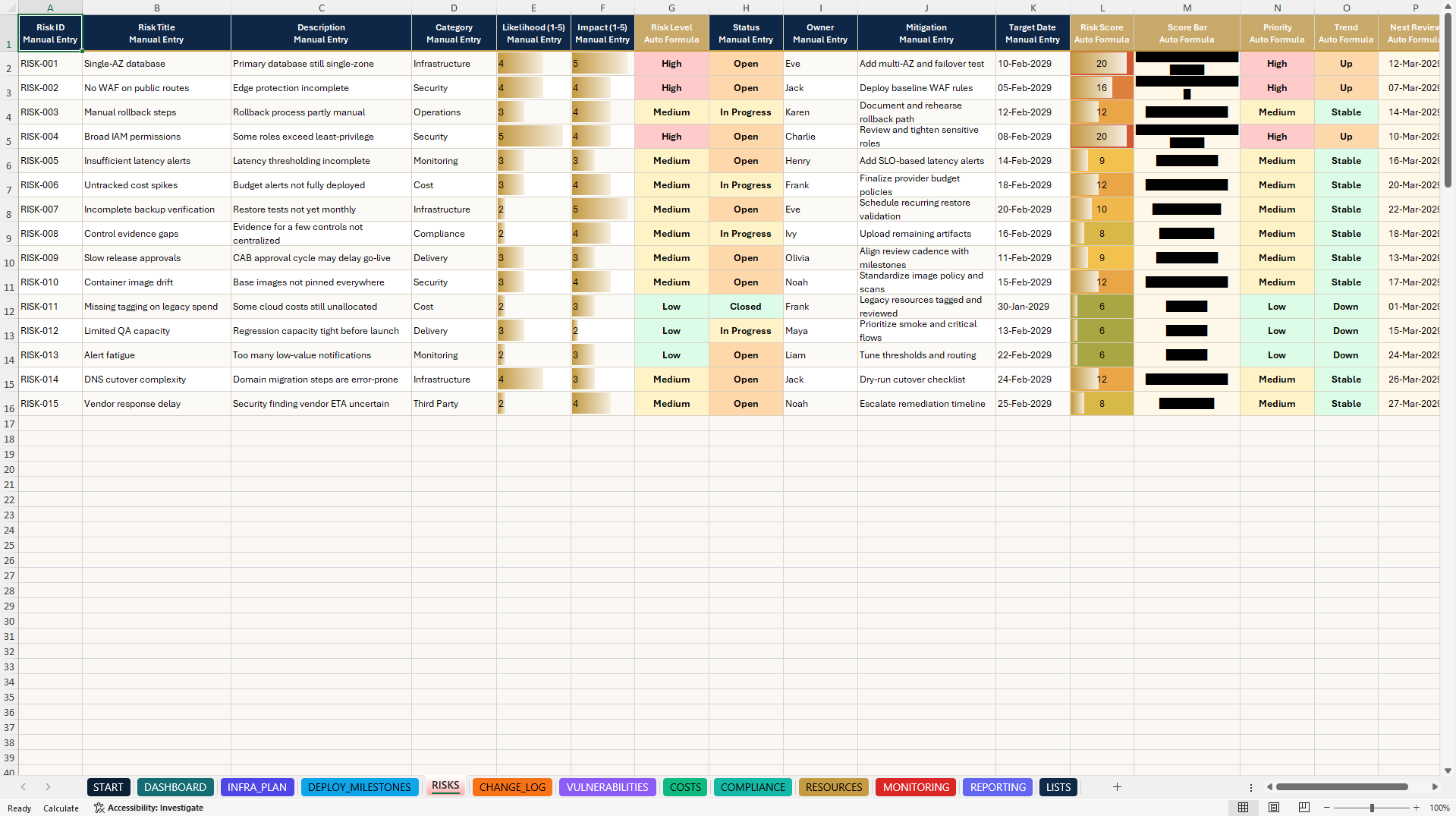
3. RISK REGISTER
Calculate risk exposure using probability and impact scoring. Manage ownership, mitigation actions, priorities and risk-review dates.
4. CHANGE LOG
Document operational changes, classifications, approvals, implementation progress and follow-up activities.
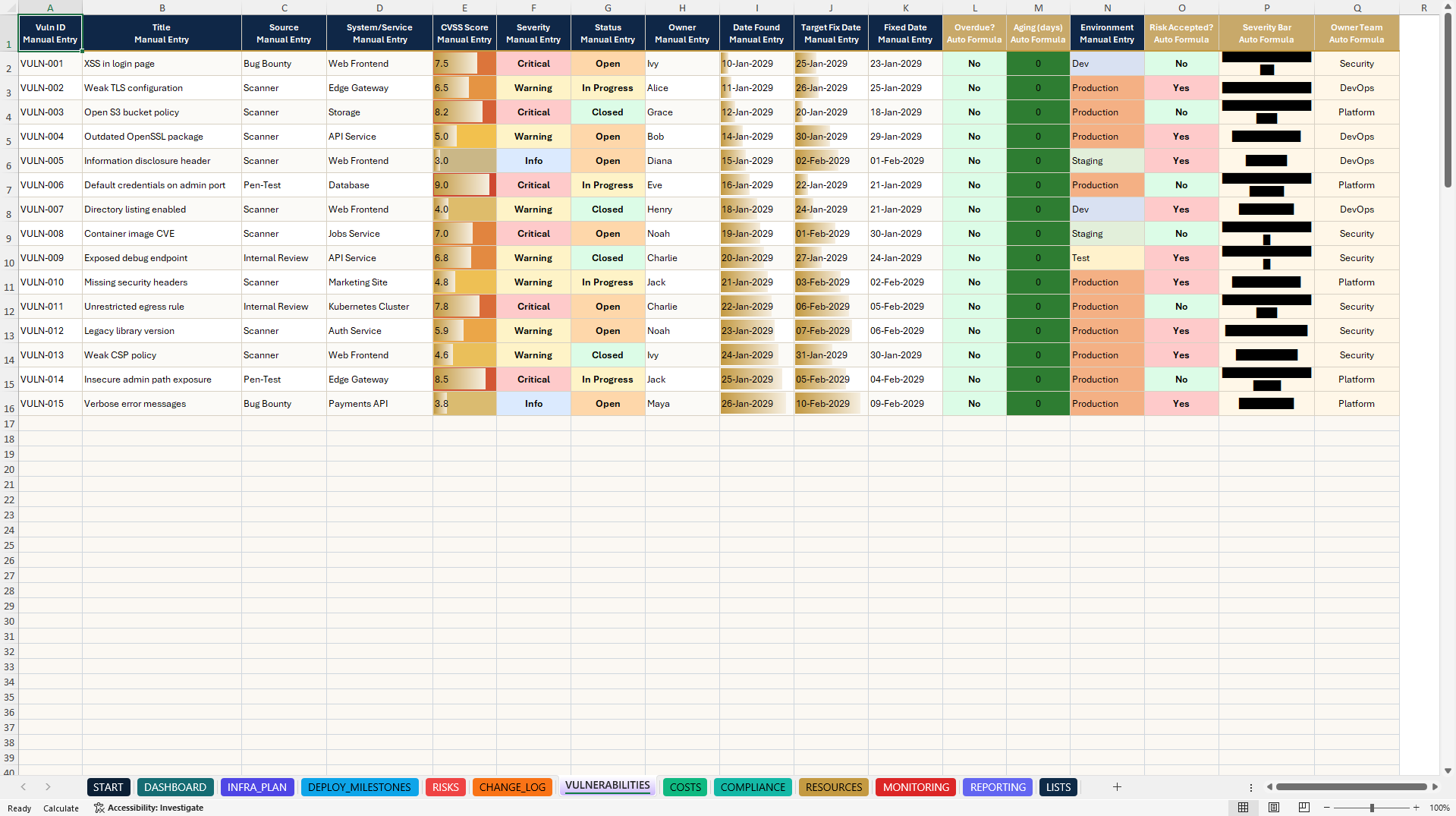
5. VULNERABILITY TRACKING
Monitor security findings, severity, remediation owners, due dates, status and aging indicators.
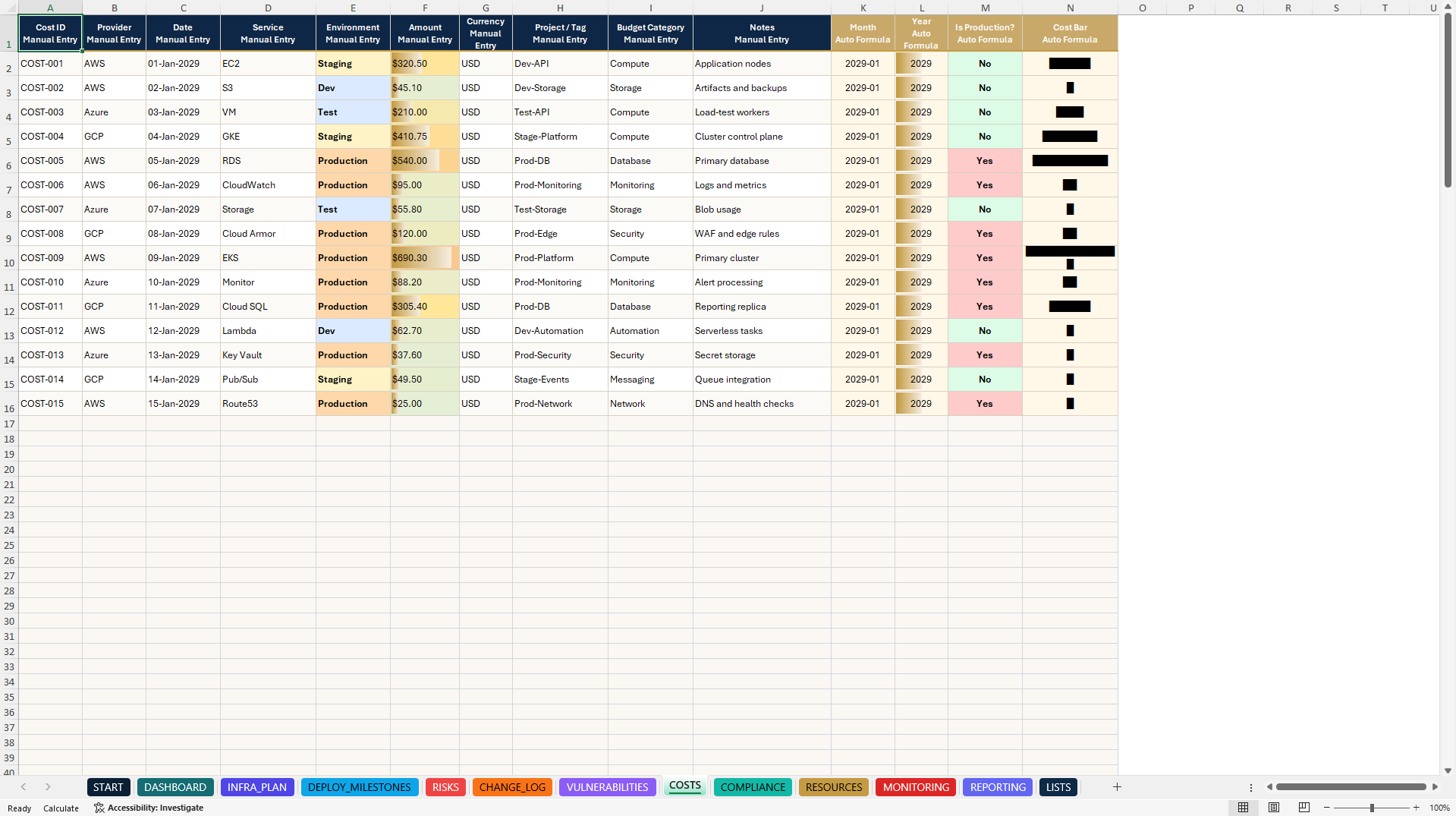
6. CLOUD COST TRACKING
Organize manually entered costs by cloud provider, service, environment, reporting month and operational category.
7. COMPLIANCE TRACKING
Manage internal controls, evidence references, review dates, criticality, responsibilities and implementation status.
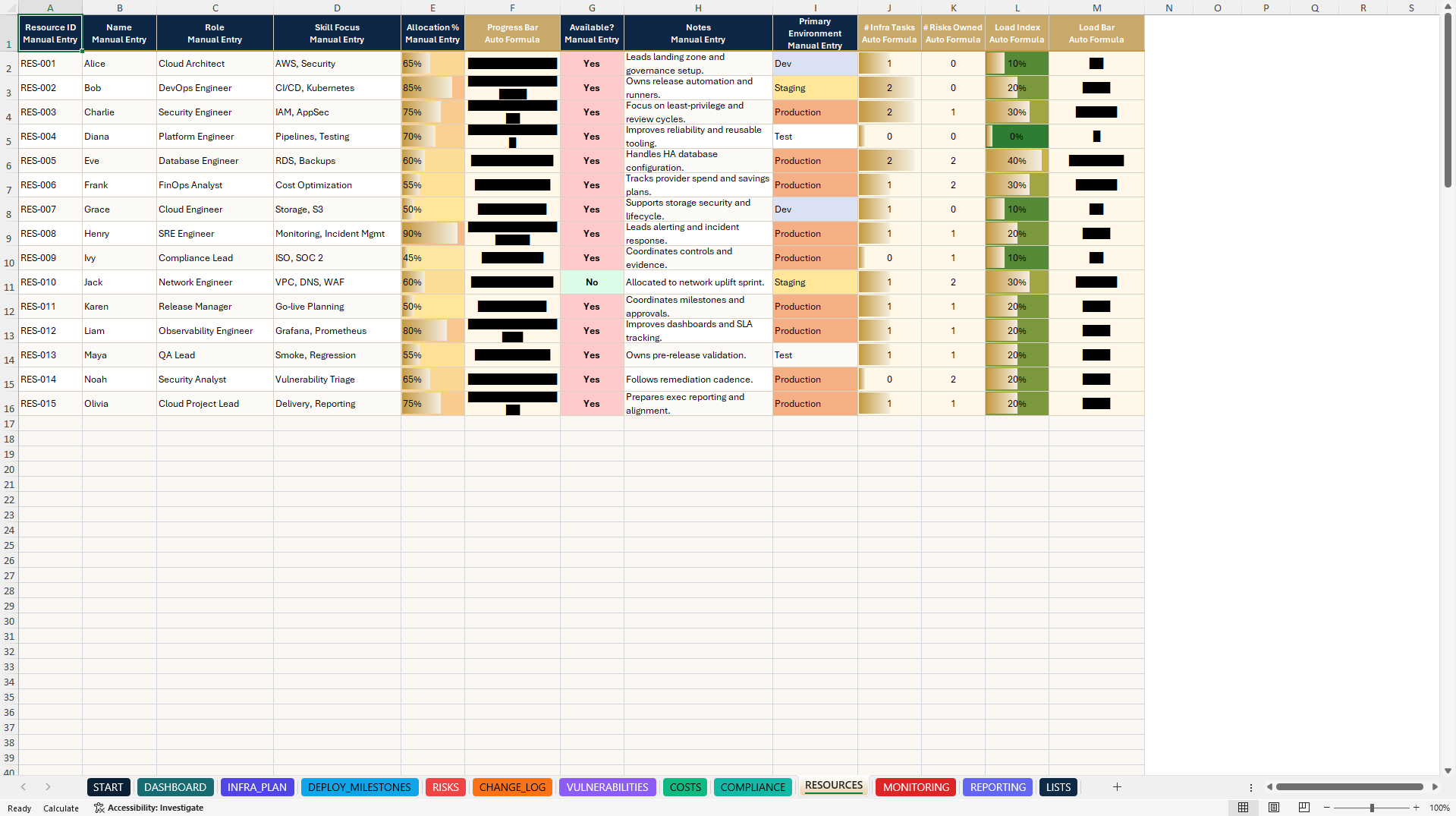
8. RESOURCE PLANNING
Track personnel, technical skills, utilization, availability and related operational workload indicators.
9. MONITORING & SRE
Document alerts, severity, acknowledgment times, completion timestamps and operational response metrics.
Automatic calculations support MTTA and completed-incident MTTR.
10. OPERATIONAL REPORTING
Prepare structured management updates covering risks, priorities, milestones, next actions and operational health indicators.
🧭 START PAGE & CUSTOMIZATION
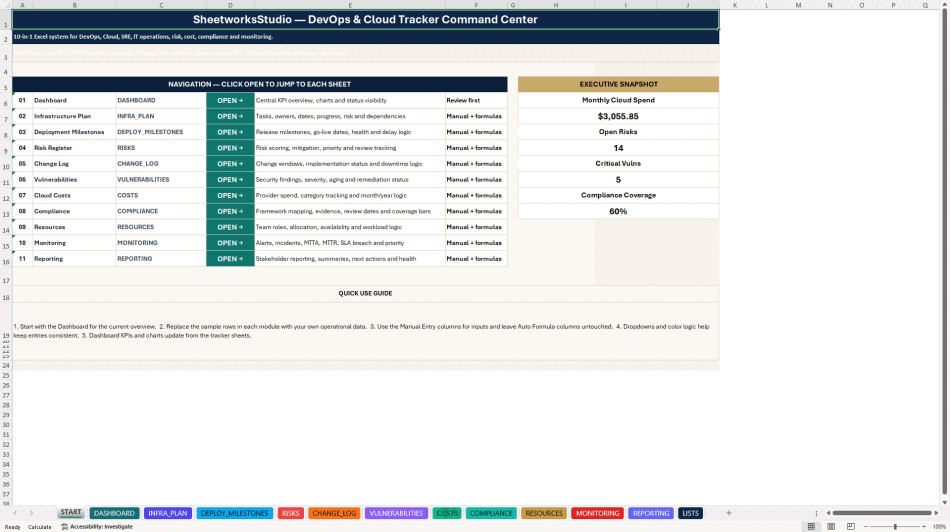
A clickable Start page provides structured navigation through the system.
Editable reference lists support consistent data entry, while automatic formulas and visual indicators simplify recurring reviews.
The ten operational modules include 15 realistic sample records and prepared working areas through row 200.
The calculations have been extended to cover these prepared areas, while dropdown validations are applied to relevant manual-input fields.
🎁 BONUS – INCIDENT SNAPSHOT WORKBOOK
Receive a separate Excel companion for compact incident reviews and on-call handovers.
Features include:
• Incident Review Table
• Incident Severity and Status
• Automatic MTTA Calculations
• MTTR for Completed Incidents
• Root Cause Documentation
• Follow-up Actions and Ownership
• Progress Tracking and Visual Progress Bars
• Incident KPI Summaries
• 15 Realistic Sample Incidents
• Additional Prepared Entry Rows
The bonus workbook operates independently and does not automatically synchronize with the main tracker.
📘 SIX-PAGE HOW-TO-USE GUIDE
The illustrated English PDF covers quick setup, workbook navigation, the ten-module workflow, dashboard interpretation, incident handling, MTTA/MTTR calculation rules, customization, troubleshooting and quality checks.
🎯 TARGET USERS
• DevOps and Platform Engineering Teams
• Cloud Operations Managers
• Site Reliability Engineers
• IT Operations Departments
• Information Security Teams
• IT Governance and Compliance Professionals
• Technical Project Managers
• Technology Consultants and MSPs
• Startups and Growing IT Organizations
📦 COMPLETE DIGITAL PACKAGE
• One 14-sheet DevOps & Cloud Excel Tracker (.xlsx)
• One standalone Incident Snapshot Excel Workbook (.xlsx)
• One illustrated six-page English PDF Guide
💻 TECHNICAL INFORMATION
The Microsoft Excel workbooks are fully editable and macro-free, with no VBA, mandatory add-ins or external data connections.
Microsoft Excel Desktop / Microsoft 365 is recommended.
The files contain no live integrations with AWS, Azure, GCP, CI/CD platforms, vulnerability scanners or monitoring APIs. Users enter their own operational information.
Google Sheets import may support parts of the workbook, but chart presentation, navigation, dropdowns and formatting may differ. Full feature compatibility is not guaranteed.
⚖️ IMPORTANT DISCLAIMER
These products are independent, unofficial templates for internal documentation, planning, assessment and reporting.
They are not certified security solutions, compliance assurances, verified cloud billing systems or guarantees of service reliability, risk reduction or operational improvement.
All sample data is illustrative.
Users remain responsible for reviewing their inputs, operational thresholds, risk classifications, incident metrics, calculations and management conclusions.
The templates do not replace qualified cybersecurity, legal, financial, audit, regulatory or compliance advice.
Digital product only. No physical shipment.
SheetworksStudio – Professional Excel Management Systems.
Got a question about the product? Email us at support@flevy.com or ask the author directly by using the "Ask the Author a Question" form. If you cannot view the preview above this document description, go here to view the large preview instead.
Source: Best Practices in Cloud, DevOps Excel: DevOps & Cloud Operations | SRE, Risk & KPI Dashboard Excel (XLSX) Spreadsheet, SheetworksStudio
ABOUT THE AUTHOR

SheetworksStudio creates premium Excel-based business templates, dashboards, trackers, financial models, and management systems for professionals, consultants, entrepreneurs, and organizations.
Our portfolio covers finance, project management, operations, risk management, compliance, AI governance, HR, supply chain, performance management, and business planning. Each product is designed to
... [read more]
Ask the Author a Question
You must be logged in to contact the author.