
 Click main image to view in full screen. Unlock all 9 preview images:
Cost Allocation & Chargeback Model - Professional Edition – Excel XLSX
Excel (XLSX)


BENEFITS OF THIS DOWNLOADABLE EXCEL DOCUMENT
- Provides a complete Activity-Based Costing framework that converts IT and shared-services spend into transparent unit costs and defensible chargebacks.
- Delivers a live rate card, billing summary, and dashboard so finance and IT leaders can track cost recovery and surplus in real time.
- Includes scenario analysis, 12-month trend tracking, and benchmark comparisons to support better cost management decisions.
COST OPTIMIZATION EXCEL DESCRIPTION
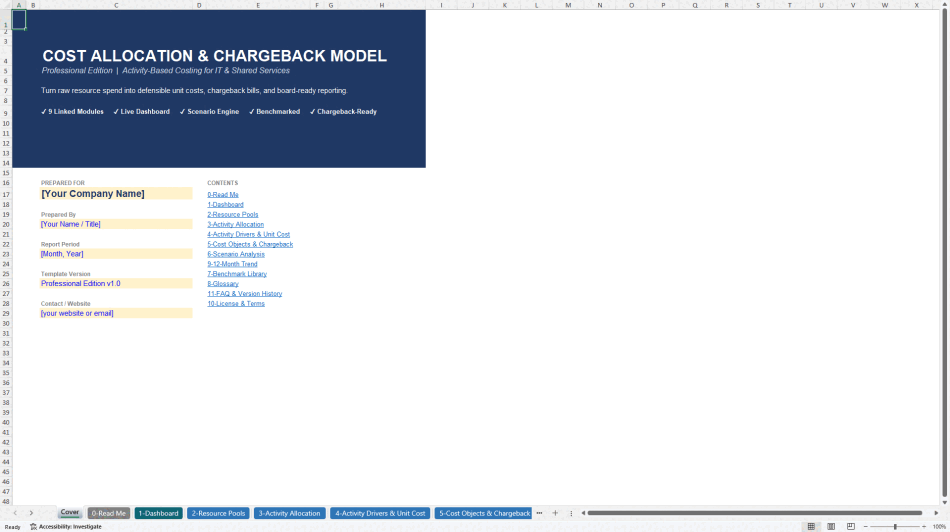
Turn raw IT and shared-services spend into defensible unit costs, transparent chargebacks, and board-ready reporting.
This professional Activity-Based Costing (ABC) model allocates the fully-loaded cost of an IT or shared-services function down to the services it delivers. It follows the classic three-stage ABC methodology – Resource Pools → Activities → Cost Objects – and produces clean unit costs, an internal chargeback/showback report, a live rate card, and a real-time dashboard.
Unlike simple cost-spreading spreadsheets, this model is purpose-built for IT and shared services. It handles labor pools, cloud hosting, infrastructure, and overhead separately, then drives costs through measurable activity drivers (tickets, provisioning requests, migration projects, FinOps reviews, etc.) to the business units and clients that actually consume them.
WHAT'S INCLUDED
14 linked worksheets covering the complete cost-to-chargeback lifecycle:
• Cover – Branded title page with customizable company/report fields
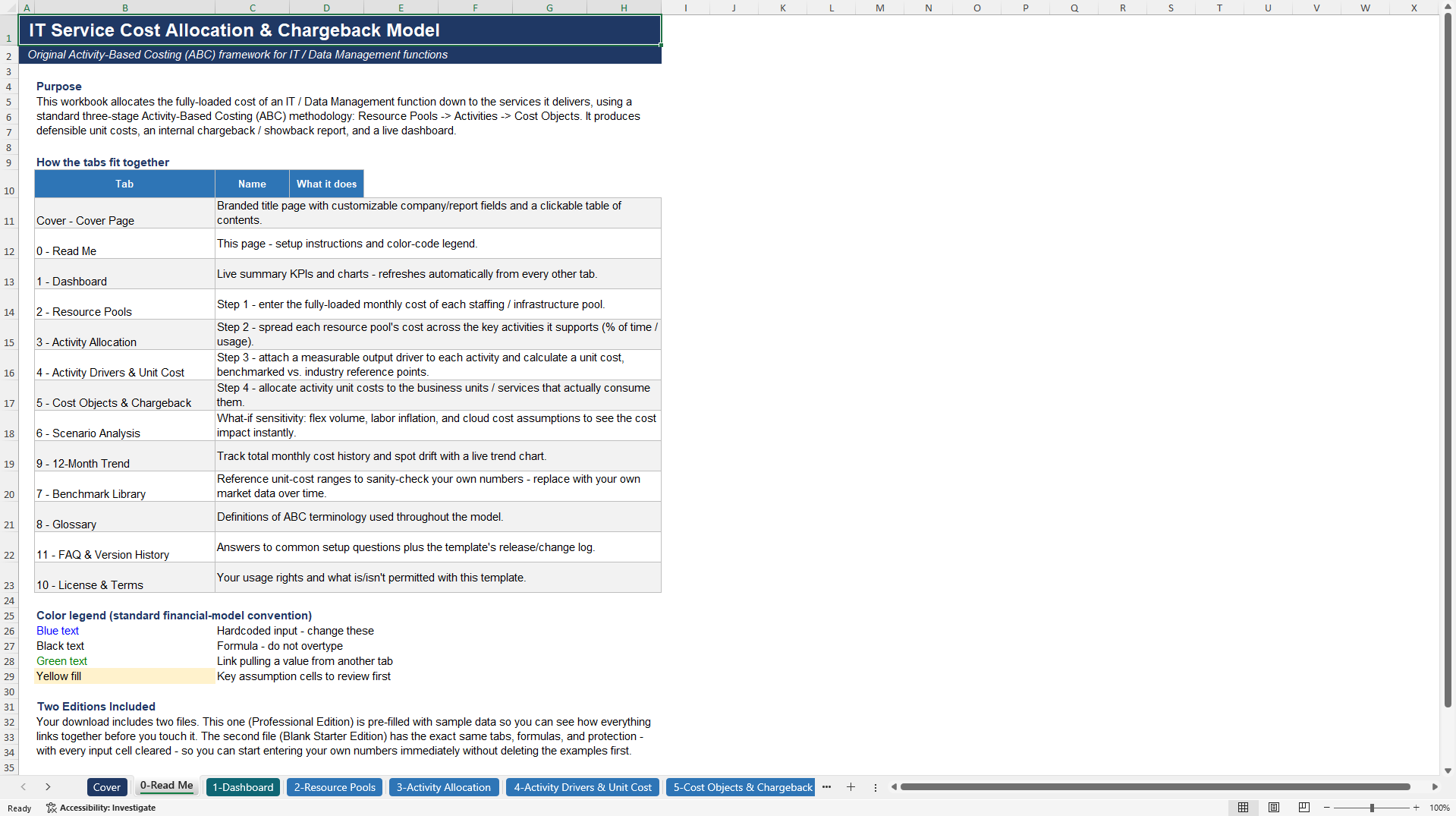
• 0 – Read Me – Setup instructions and color-code legend
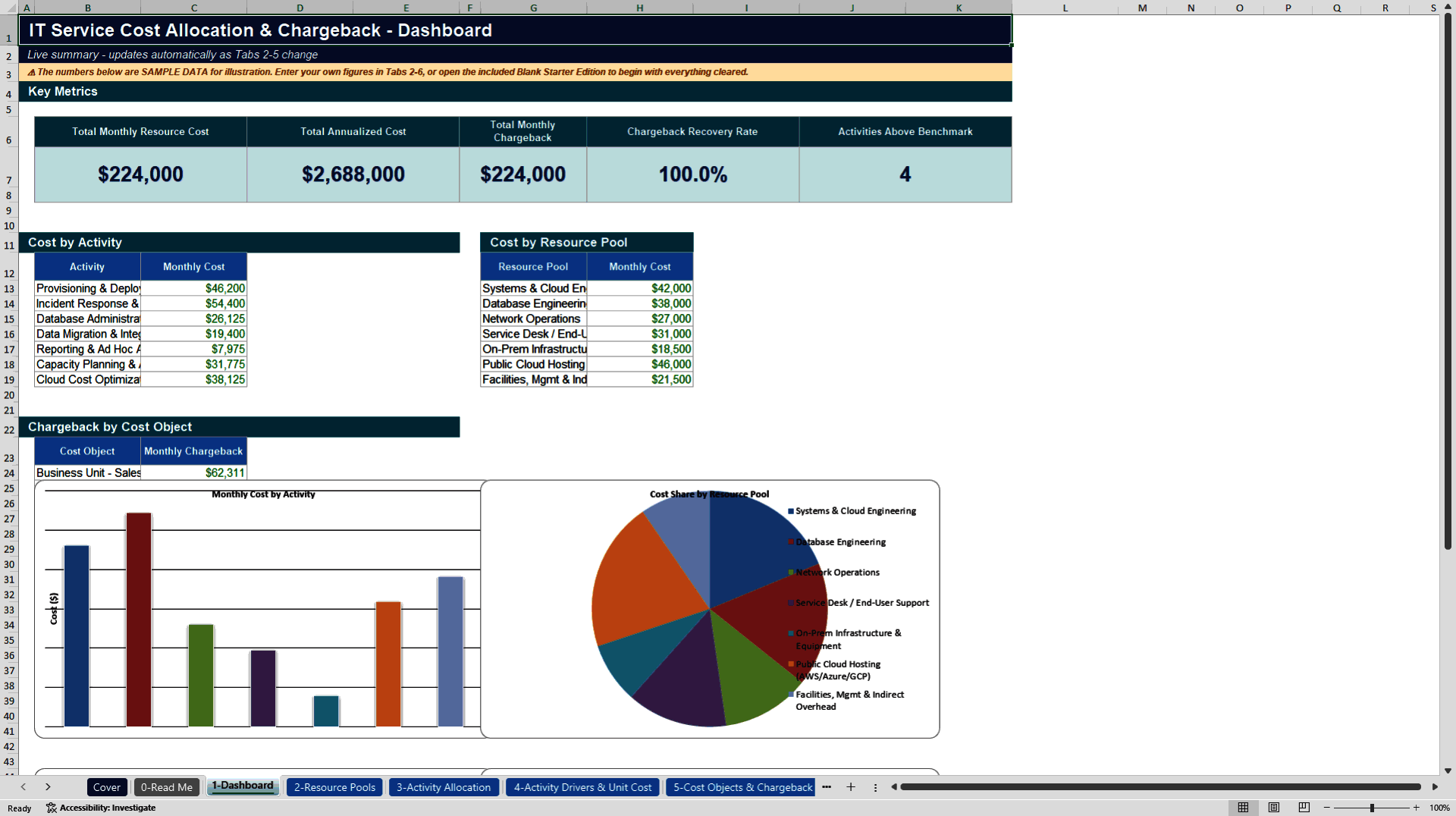
• 1 – Dashboard – Live KPIs, cost-by-activity, cost-by-pool, chargeback by business unit, and pricing snapshot
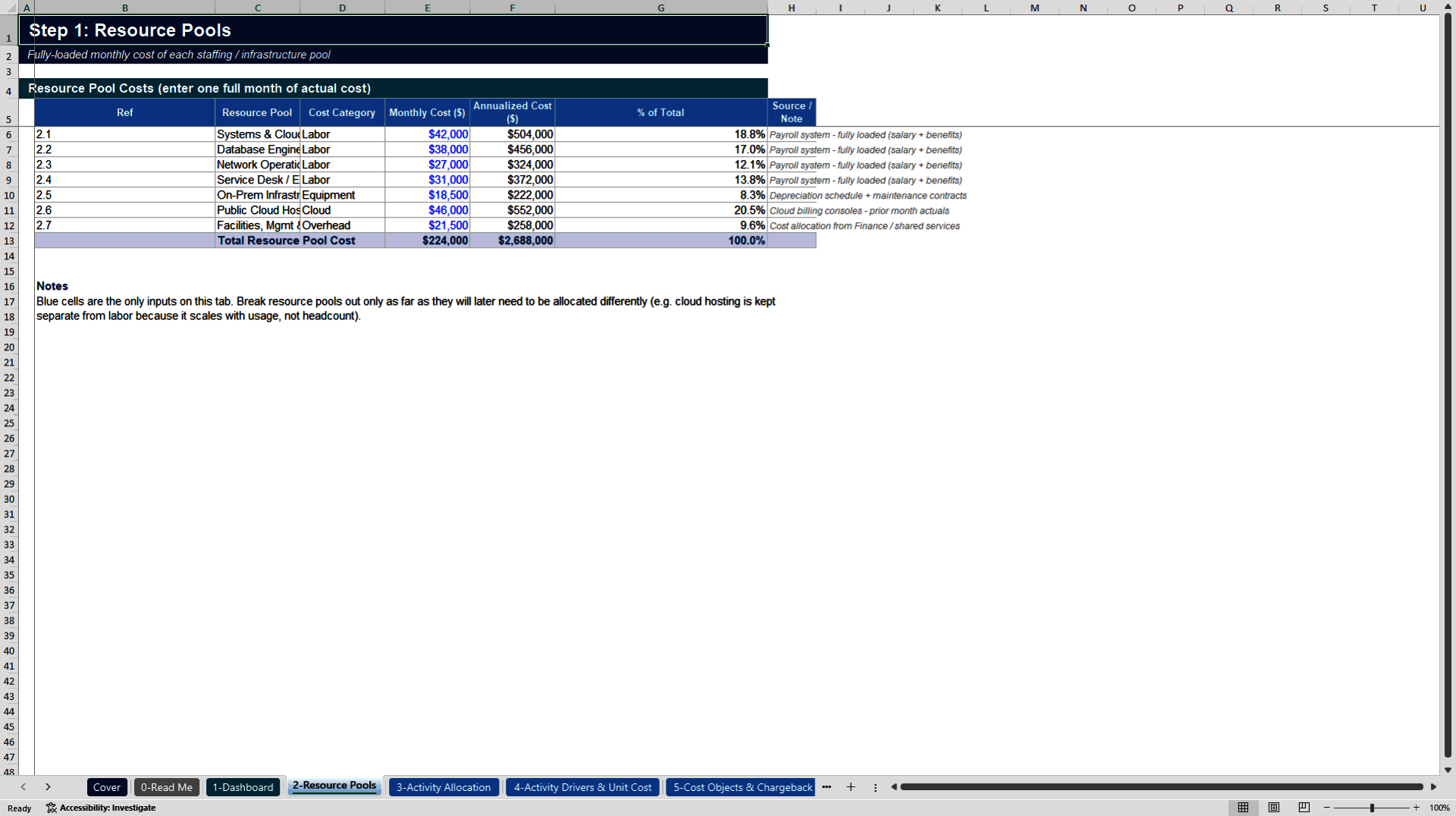
• 2 – Resource Pools – Fully-loaded monthly costs of labor, cloud, infrastructure, and overhead pools
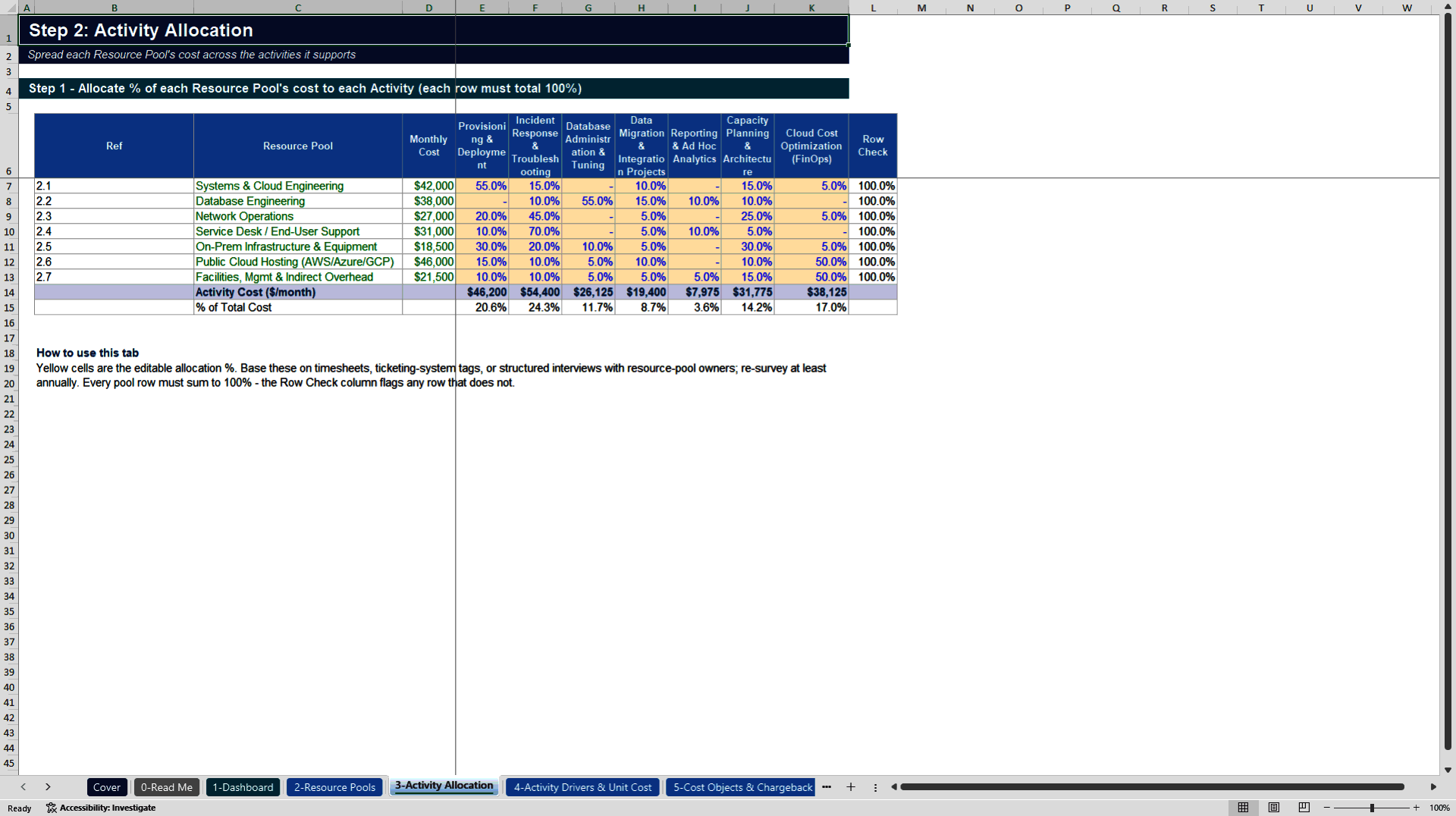
• 3 – Activity Allocation – % allocation of each resource pool across key activities (with 100% row-check validation)
• 4 – Activity Drivers & Unit Cost – Volume drivers, calculated unit costs, and variance vs. industry benchmarks
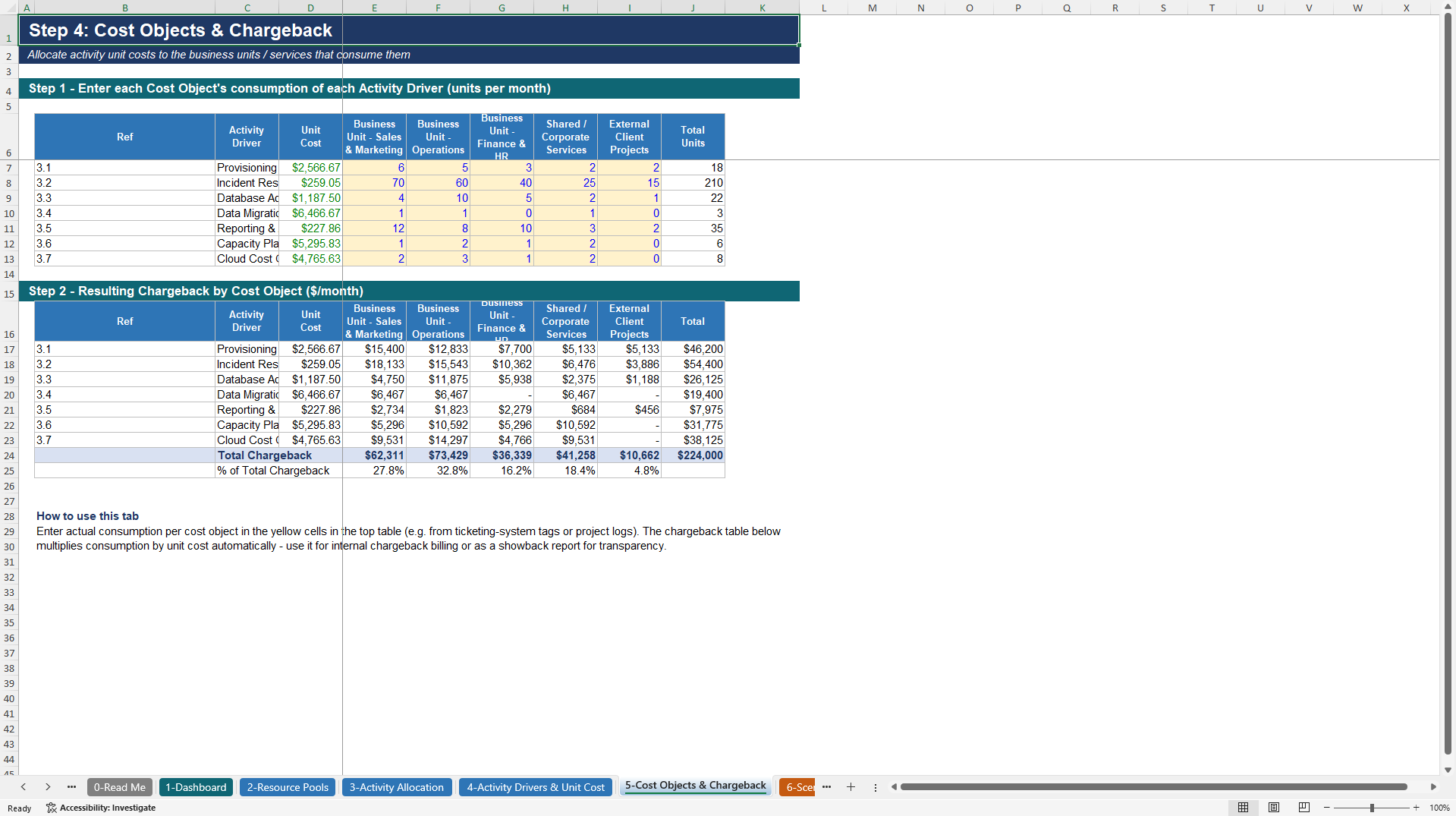
• 5 – Cost Objects & Chargeback – Consumption matrix and resulting monthly chargeback by business unit / client
• 6 – Service Pricing – Internal rate card (with admin surcharge), external rate card (with target margin), overrides, and billing summary showing surplus/deficit and cost recovery
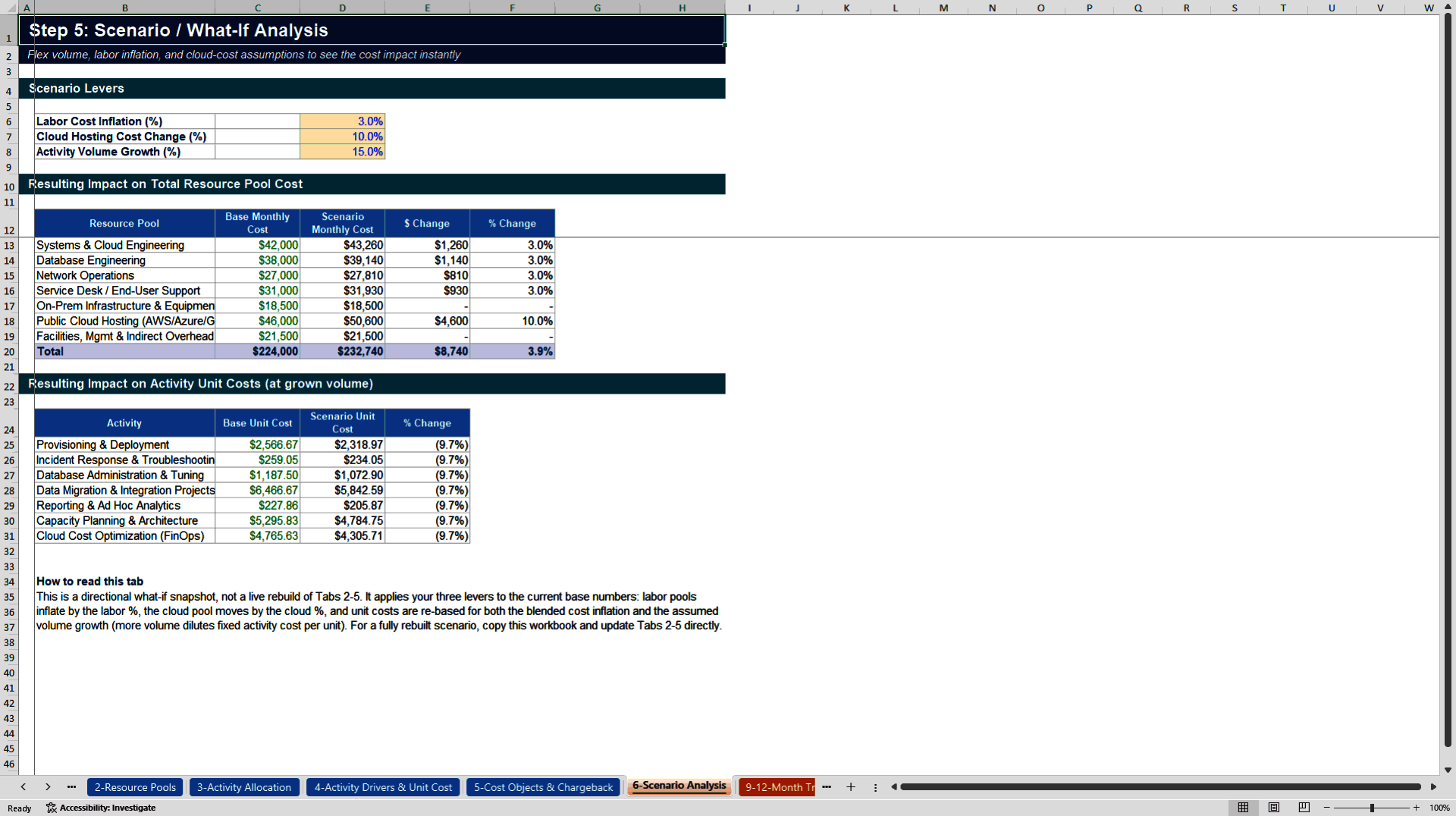
• 7 – Scenario Analysis – What-if levers for labor inflation, cloud cost change, and volume growth
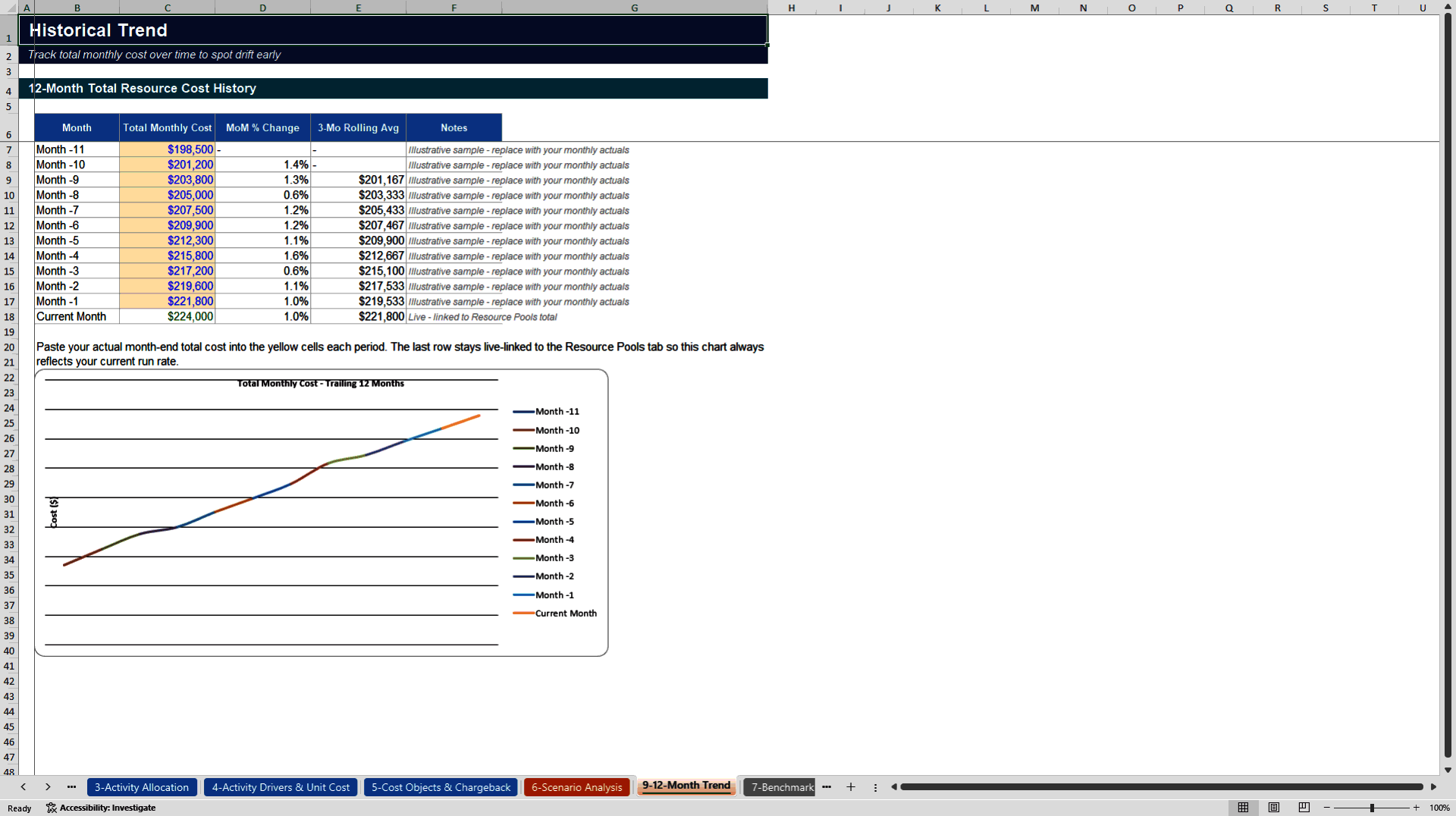
• 8 – 12-Month Trend – Historical cost tracking with MoM change and rolling average
• 9 – Benchmark Library – Illustrative unit-cost ranges (replace with your own market data)
• 10 – Glossary – Clear definitions of ABC and pricing terminology
• 11 – FAQ & Version History – Common setup questions and release notes
• 12 – License & Terms – Usage rights
Two editions are typically packaged together:
• Professional Edition (pre-filled with realistic sample data so you can see every link working)
• Blank Starter Edition (identical structure and formulas, all inputs cleared)
KEY FEATURES
• Fully formula-driven – change any yellow input cell and the entire model (Dashboard, unit costs, chargebacks, rate card) updates automatically
• Zero macros / zero ActiveX – opens cleanly in Excel 2016+ and Microsoft 365 with no security warnings
• Sheet protection with only input cells unlocked (blue text + yellow fill convention)
• Live Dashboard with charts and key recovery metrics
• Rate Card engine supporting internal surcharge, external margin, rounding, and manual overrides
• Scenario engine for rapid sensitivity analysis
• Benchmark comparison with automatic "Above / Below / On Target" status flags
• Professional documentation (Read Me, Glossary, FAQ, License)
WHO IT'S FOR
• IT Finance / FinOps teams building transparent chargeback or showback models
• Shared Services leaders who need defensible unit costs for internal customers
• Consultants delivering cost-allocation or TBM (Technology Business Management) engagements
• CFOs and controllers who want board-ready visibility into IT cost recovery
HOW IT WORKS (SIMPLE 5-STEP FLOW)
Enter fully-loaded monthly costs of each Resource Pool (labor, cloud, infrastructure, overhead).
Allocate each pool across Activities using % of time or usage (row totals must equal 100%).
Attach a measurable volume driver to each Activity → unit costs calculate automatically.
Enter how many units each Business Unit / Client consumed → chargeback amounts appear.
Set internal surcharge and external margin → rate card and billing summary are generated.
All downstream reports, the Dashboard, and the Pricing Snapshot stay in sync.
TECHNICAL NOTES
• 100% formula-based (no VBA)
• Compatible with Excel 2016, 2019, 2021, Microsoft 365, and LibreOffice Calc
• Protected sheets with unlocked input cells only
• Clean named ranges for key totals
• Designed for monthly refresh cycles (update Resource Pool costs from the GL and re-survey activity % allocations periodically)
Ready for immediate use. Open the Professional Edition to explore the sample data and linkages, then switch to the Blank Starter Edition to load your own numbers.
Got a question about the product? Email us at support@flevy.com or ask the author directly by using the "Ask the Author a Question" form. If you cannot view the preview above this document description, go here to view the large preview instead.
Source: Best Practices in Cost Optimization, Management Accounting Excel: Cost Allocation & Chargeback Model - Professional Edition Excel (XLSX) Spreadsheet, MW & Digitelax Consulting
ABOUT THE AUTHOR

Welcome to the official enterprise resource hub of MW & Digitelax Consulting. Directed by a seasoned banking executive, corporate risk consultant, and financial content strategist with over 28 years of institutional leadership experience, our practice delivers deployment-ready frameworks designed to drive enterprise efficiency, enforce regulatory compliance, and eliminate systemic model risk. ... [read more]
Ask the Author a Question
You must be logged in to contact the author.




























