
 Click main image to view in full screen.
Container Shipping and Handling Expense Tracker Dashboard – Excel XLSX
Excel (XLSX)


BENEFITS OF THIS DOWNLOADABLE EXCEL DOCUMENT
- Provides a centralized framework for logging and monitoring every cost associated with container shipping and handling.
- Automatically calculates budget-to-actual variance for each expense line, flagging overages and savings as they occur.
- Delivers a live dashboard summarizing total spend, category breakdowns, and outstanding balances without any manual reporting.
LOGISTICS EXCEL DESCRIPTION
Managing the financial side of container shipping is often just as chaotic as managing the shipments themselves. Freight forwarders, importers, and logistics coordinators frequently juggle ocean freight invoices, terminal handling charges, customs duties, broker fees, and drayage costs across dozens of shipments at once, with no single place to see what was quoted, what was actually charged, and what is still outstanding. This ready-to-use Excel tracker solves that by giving you one organized system to log, monitor, and report on every cost tied to your container shipments.
The workbook is built around three tabs. The Instructions tab explains exactly how to use the template, including a color-coded legend so it is clear which cells you fill in versus which calculate automatically.
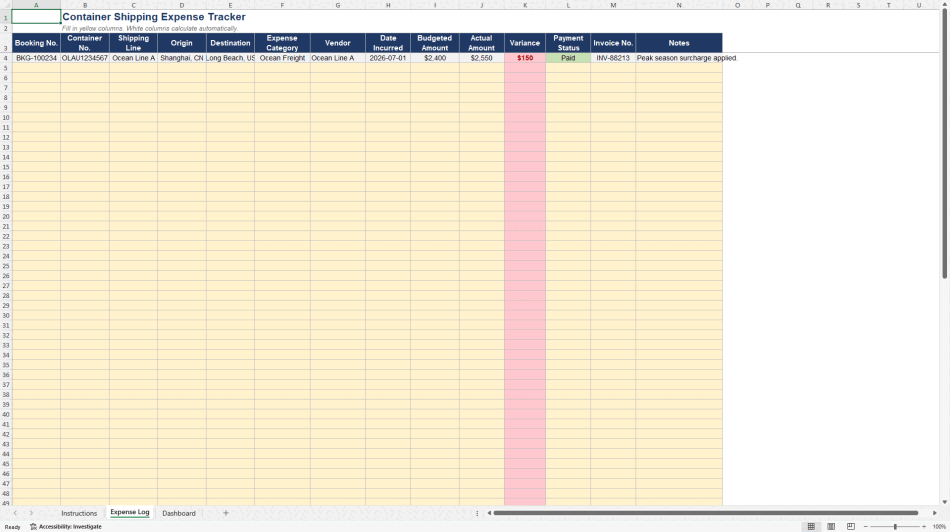
The Expense Log tab is where every cost line gets recorded: booking number, container number, shipping line, origin and destination, and a standardized expense category covering ocean freight, terminal handling charges (origin and destination), documentation fees, customs duties, customs broker fees, trucking and drayage, detention charges, demurrage charges, storage fees, and insurance. For each line, you enter the budgeted amount and the actual invoiced amount, and the sheet automatically calculates the variance, highlighting in red anything over budget and in green anything under. A payment status column, color-coded for Pending, Approved, Paid, or Disputed, keeps outstanding balances visible at a glance.
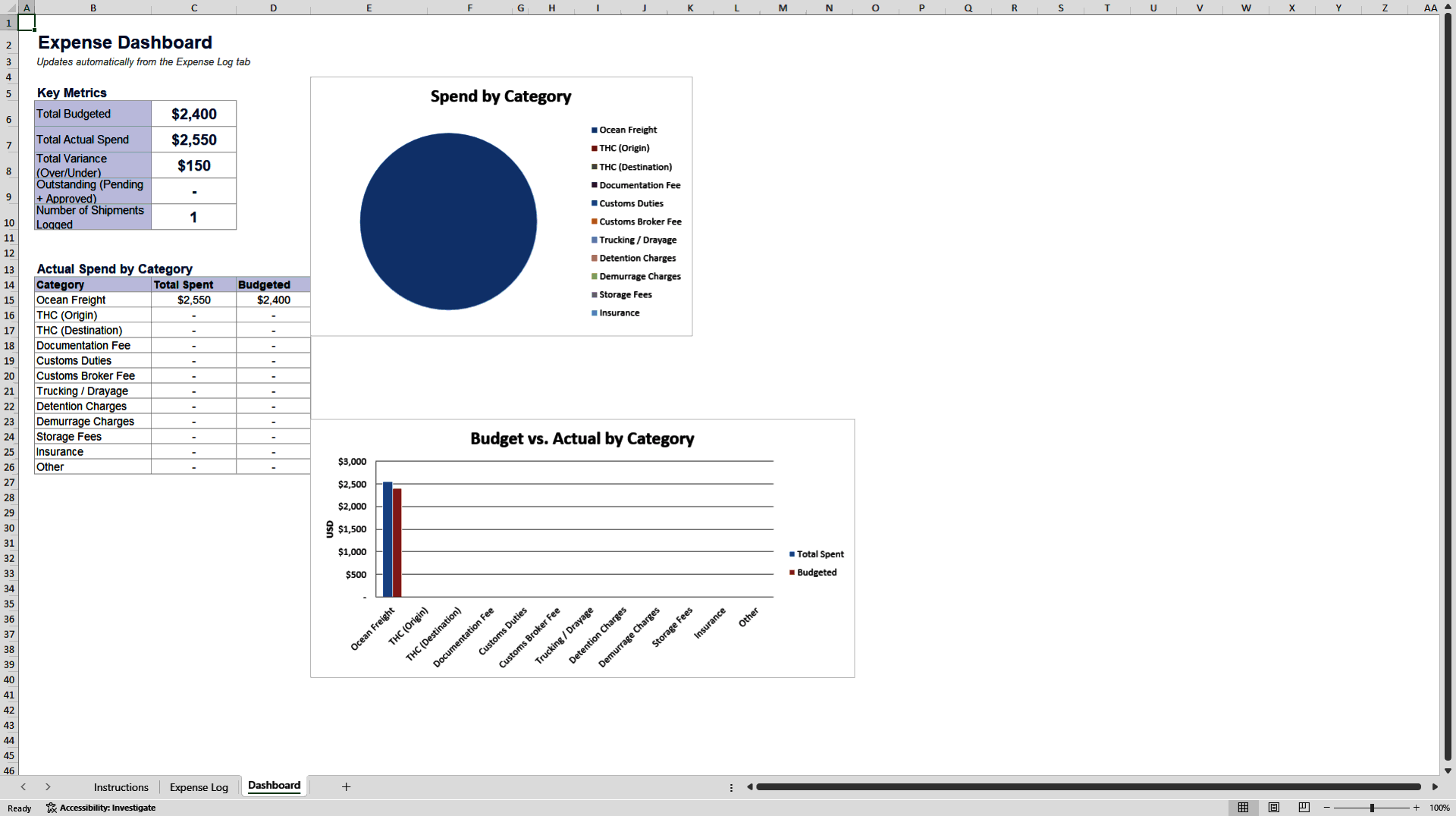
The Dashboard tab pulls everything together automatically: total budgeted spend, total actual spend, overall variance, and total outstanding balance across all shipments, along with a pie chart breaking down spend by category and a bar chart comparing budgeted versus actual costs category by category. Nothing here requires manual reporting; it all updates as you fill in the Expense Log.
This template is designed for freight forwarders, customs brokers, import/export coordinators, and logistics teams who need clear visibility into shipping costs without investing in expensive freight management software. Built entirely with standard Excel formulas, it opens and calculates correctly in any recent version of Excel or Google Sheets, and can easily be extended with additional rows or categories as your shipment volume grows.
Rather than reconciling invoices across scattered spreadsheets and emails, this tracker gives you one place to see budgeted versus actual shipping costs, category-level spend, and outstanding balances at a glance.
Got a question about the product? Email us at support@flevy.com or ask the author directly by using the "Ask the Author a Question" form. If you cannot view the preview above this document description, go here to view the large preview instead.
Source: Best Practices in Logistics, Expense Tracker Excel: Container Shipping and Handling Expense Tracker Excel (XLSX) Spreadsheet, Phillip
ABOUT THE AUTHOR

With over 15 years of experience in logistics and container handling, I've spent my career navigating the day-to-day realities of container shipping -- from booking and documentation to detention, demurrage, and cost management. The templates I create are built from firsthand experience managing these operations, designed to solve the practical problems that logistics professionals face ... [read more]
Ask the Author a Question
You must be logged in to contact the author.




























