
 Click main image to view in full screen.
Container Shipment Status and Detention Tracker Dashboard – Excel XLSX
Excel (XLSX)


BENEFITS OF THIS DOWNLOADABLE EXCEL DOCUMENT
- Provides a centralized framework for tracking every container shipment from booking through delivery in one organized system.
- Automatically flags containers at risk of detention charges by calculating free-day deadlines and days on detention as they accrue.
- Delivers a live dashboard summarizing shipment status, transit progress, and detention risk without any manual reporting.
LOGISTICS EXCEL DESCRIPTION
Container Shipment Status and Detention Tracker
Container shipping carries the backbone of global trade, but keeping track of dozens or hundreds of active shipments across email threads, carrier portals, and scattered spreadsheets is one of the most common operational headaches for freight forwarders, logistics coordinators, and importers alike. This ready-to-use Excel tracker gives you a single, organized system for monitoring every shipment from booking through delivery, while automatically flagging the moment a container is at risk of racking up detention charges.
The workbook is built around three tabs. The Instructions tab walks through exactly how to use the template, including a color-coded legend so it is clear which cells you fill in versus which calculate automatically.
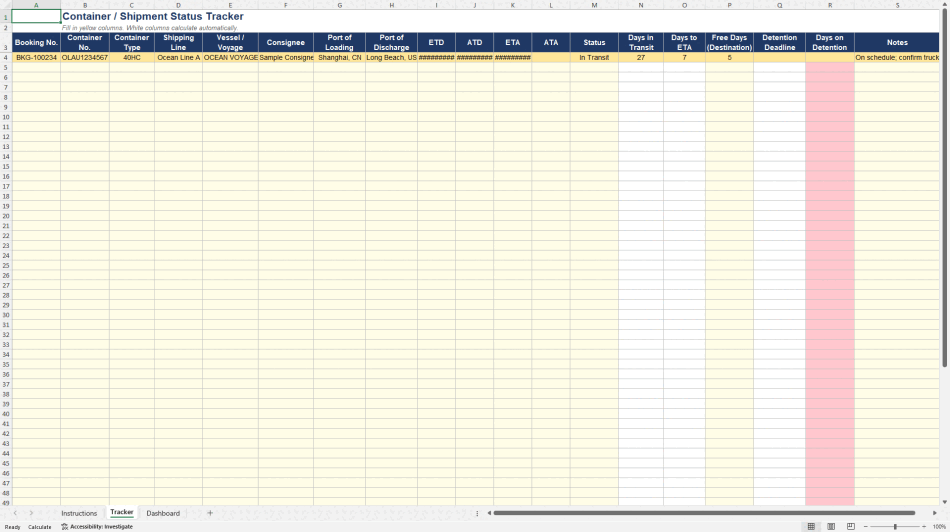
The Tracker tab is the core of the workbook. It captures booking number, container number and type, shipping line, vessel and voyage, consignee, ports of loading and discharge, and the four key shipment dates: ETD, ATD, ETA, and ATA. From these entries, the sheet automatically calculates days in transit, days remaining to ETA, the detention-free-day deadline at destination, and days currently on detention. Rows shade automatically based on shipment status (Booked, In Transit, Arrived at Port, Customs Hold, Delivered, Empty Returned, or Delayed), so a quick scan down the sheet tells you exactly where every container stands.
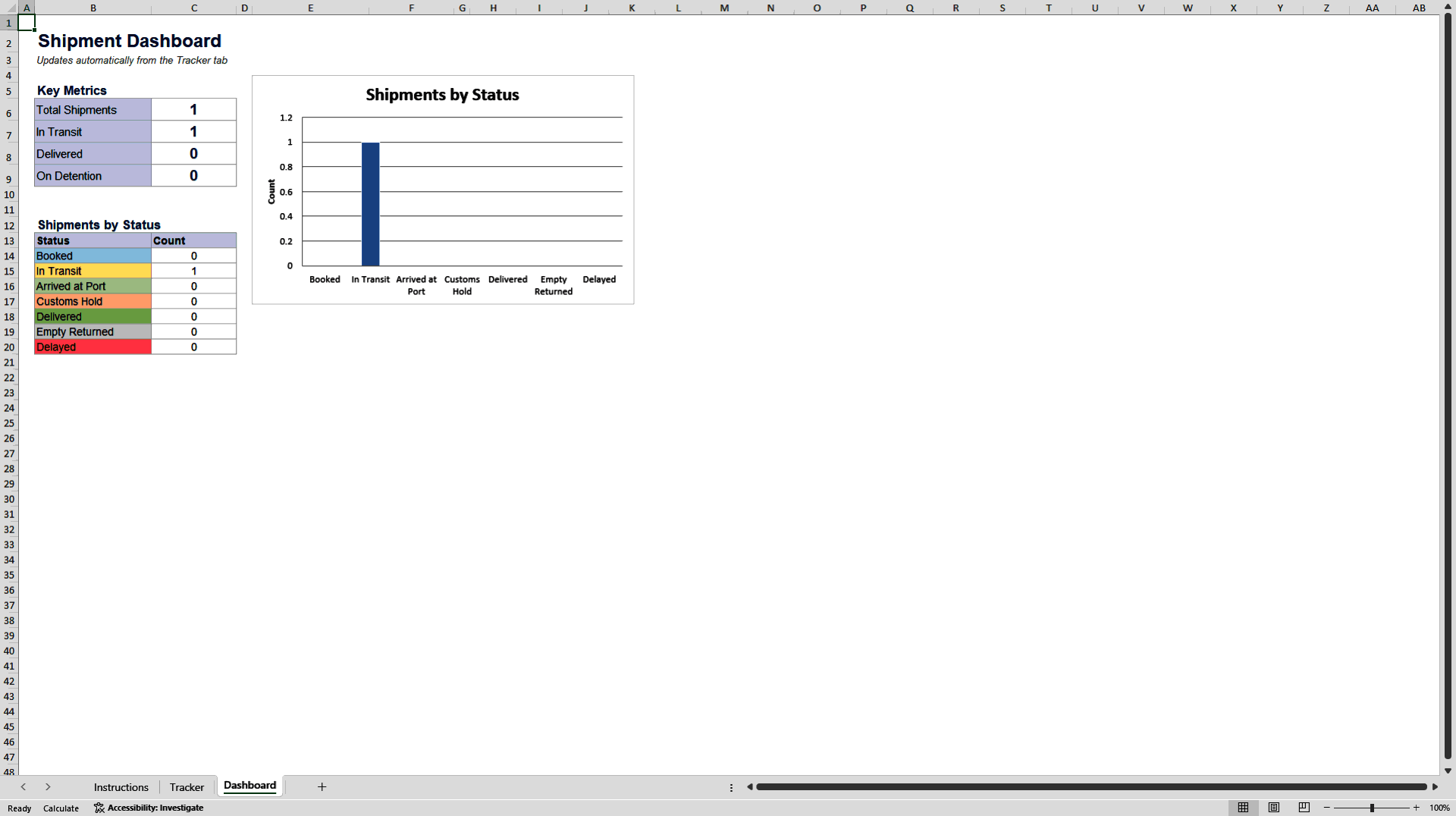
The Dashboard tab pulls everything together into a live summary: total shipments, containers currently in transit, containers delivered, and containers currently accruing detention charges, along with a chart breaking down your full shipment list by status. This updates automatically as you fill in the Tracker tab, so there is no manual reporting required.
This template is designed for freight forwarders, customs brokers, import/export coordinators, and small-to-midsize logistics teams who need better shipment visibility without investing in expensive freight management software. It is built entirely with standard Excel formulas, so it opens and calculates correctly in any recent version of Excel or Google Sheets, and it is easy to extend with additional columns or rows as your shipment volume grows.
Rather than juggling shipment updates across inboxes and disconnected spreadsheets, this tracker gives you one place to see shipment status, transit timelines, and detention risk at a glance, helping you catch costly delays before they hit your invoice.
Got a question about the product? Email us at support@flevy.com or ask the author directly by using the "Ask the Author a Question" form. If you cannot view the preview above this document description, go here to view the large preview instead.
Source: Best Practices in Logistics Excel: Container Shipment Status and Detention Tracker Excel (XLSX) Spreadsheet, Phillip
ABOUT THE AUTHOR

With over 15 years of experience in logistics and container handling, I've spent my career navigating the day-to-day realities of container shipping -- from booking and documentation to detention, demurrage, and cost management. The templates I create are built from firsthand experience managing these operations, designed to solve the practical problems that logistics professionals face ... [read more]
Ask the Author a Question
You must be logged in to contact the author.




























