
 Click main image to view in full screen.


MANAGEMENT ACCOUNTING EXCEL DESCRIPTION
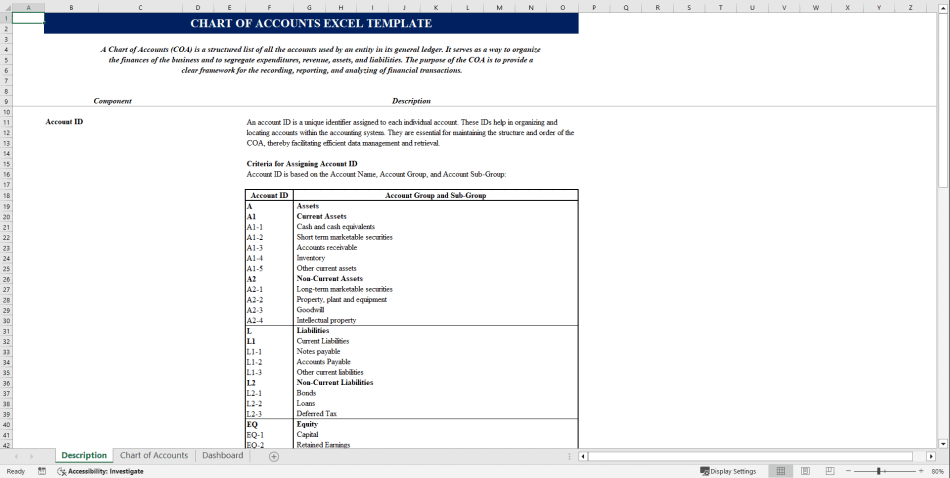
Managing financial accounts is a fundamental aspect of running a successful business. Tracking expense accounts, income accounts, balance sheet accounts, and revenue accounts ensures efficient day to day operations. The Chart of Accounts Excel Template is a powerful accounting tool designed to simplify financial tracking and enhance financial reporting accuracy.
This customizable chart design template helps businesses efficiently document financial transactions, manage accounts receivable and accounts payable, and generate comprehensive financial reports.
Features of the Chart of Accounts Excel Template
1. Structured Chart of Accounts Spreadsheet
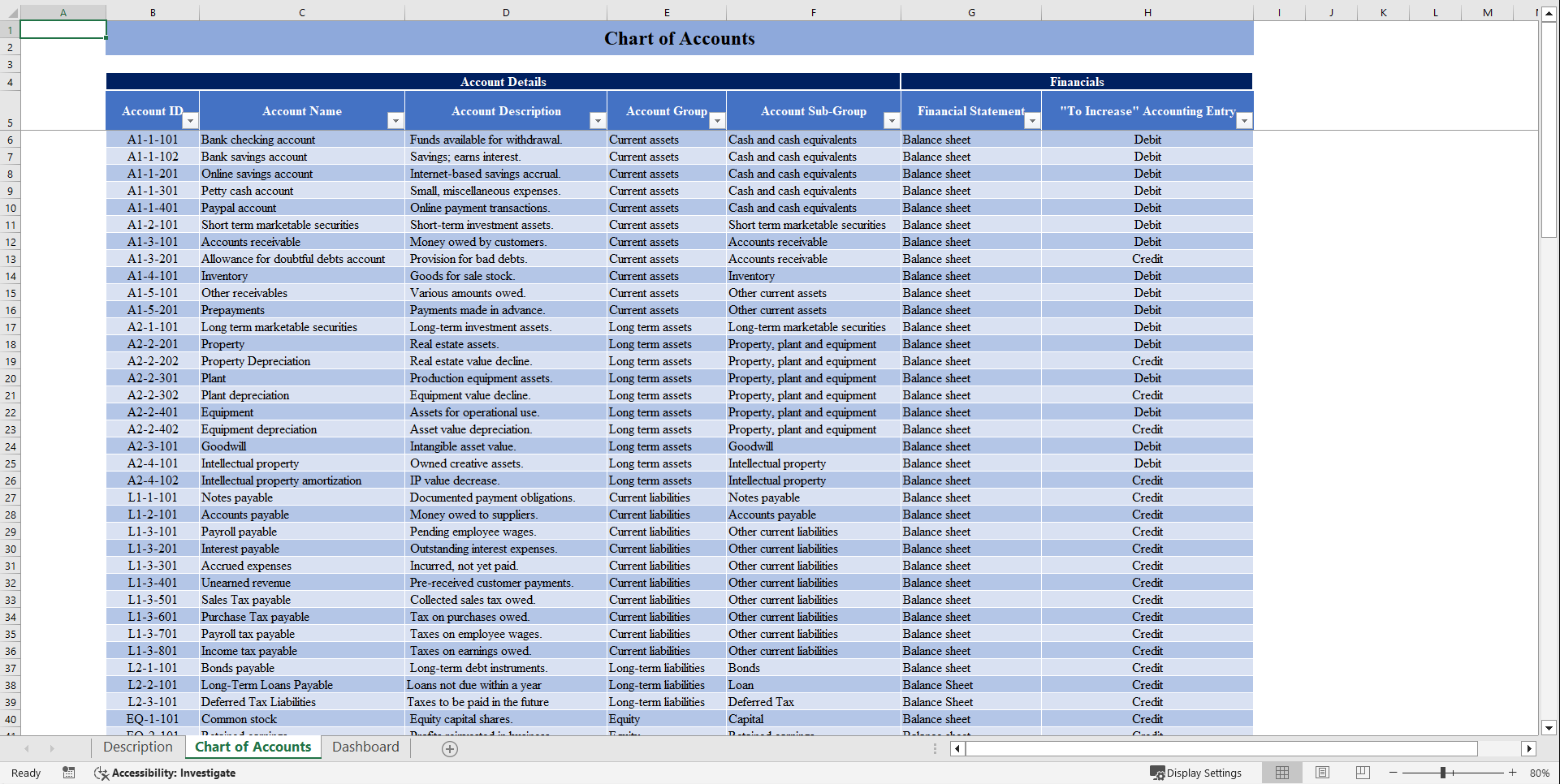
The predefined chart of accounts file includes structured categories for asset accounts, liability accounts, equity accounts, income accounts, and expense accounts. It provides a well organized financial system by offering dedicated sections for managing accounts receivable, accounts payable, and bank accounts.
2. Interactive Financial Dashboard
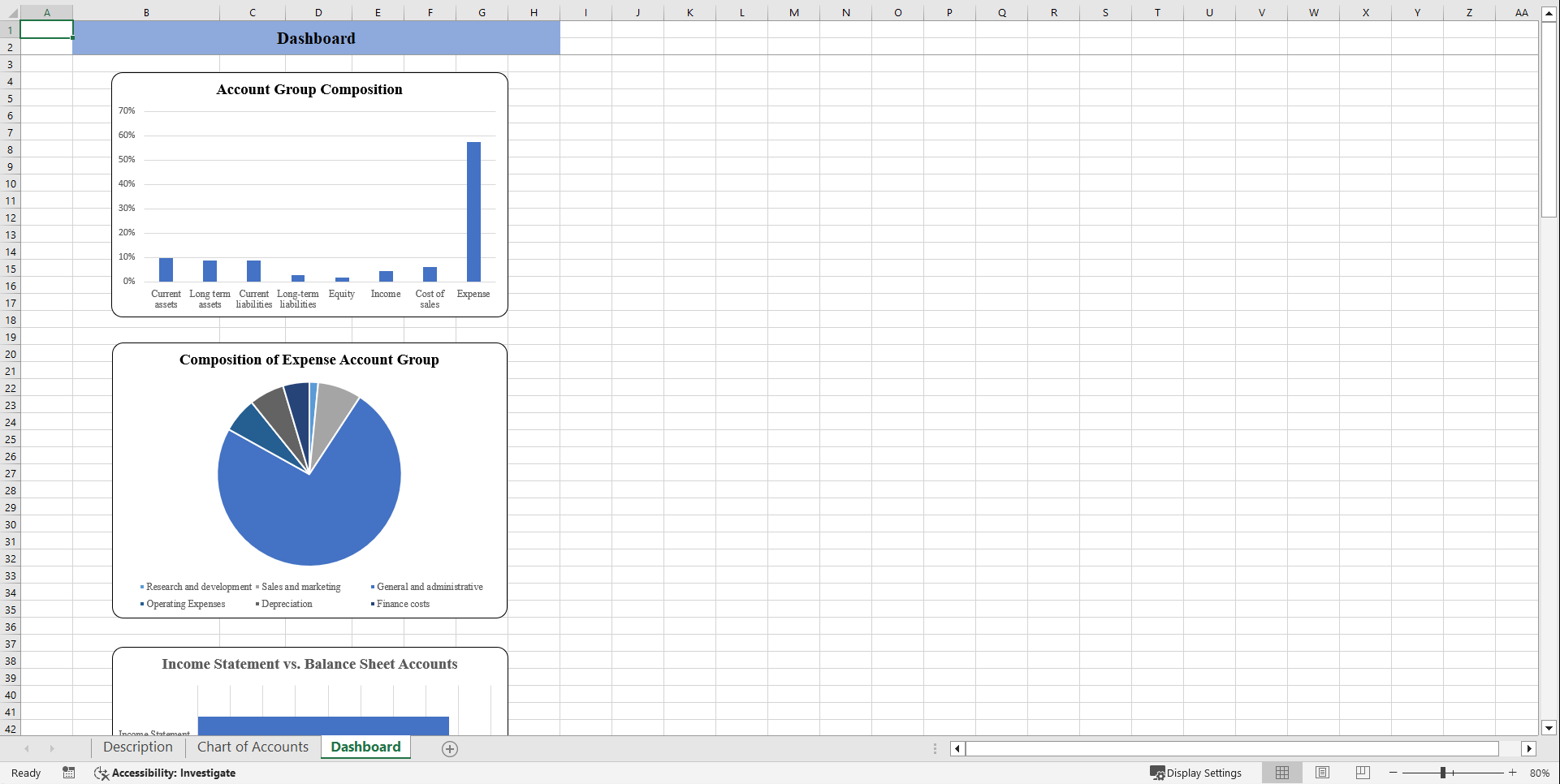
The template features automated calculations for basic cash flow statements and monthly income statements, reducing manual efforts. It provides visual charts of accounts, offering an intuitive financial overview to help businesses analyze their performance. Additionally, built in tools support decisions for cost control and enable accurate budget forecasting for better financial planning.
3. Seamless Integration with Accounting Systems
The chart of accounts operates efficiently with accounting software like QuickBooks Online, ensuring seamless data synchronization. It supports double entry bookkeeping, which enhances financial tracking and accuracy. Additionally, the template simplifies the preparation of essential financial statements, such as balance sheets, basic cash flow statements, and monthly income statements, ensuring a complete financial overview.
4. User Friendly and Customizable Design
It follows a simple COA format with drop-down lists and predefined categories for ease of use. Additionally, the template is adaptable for use in both Excel and Google Sheets, ensuring accessibility and flexibility for various business needs.
Benefits of Using the Chart of Accounts Excel Template
1. Improved Financial Organization: Ensures proper categorization of financial accounts, reducing errors in financial reporting. Supports tracking of current assets, credit card liabilities, and outstanding payments.
2. Enhanced Decision Making: Provides clear insights into actual cash flow, direct costs, and cost of sales. Aids in tracking and managing business expenses, including advertising expenses, office supplies, and other operating expenses.
3. Time Saving Automation: Streamlines financial tracking with built in calculations and an interactive dashboard. It reduces manual effort for accounting departments, allowing more focus on strategic planning.
Frequently Asked Questions
1. Why should I use this template?
It helps in tracking and generating proper financial reports.
2. What does this template includes?
It includes categories like income accounts, expense accounts, and balance sheet accounts.
3. How do I set up a Chart of Accounts in Excel?
Define categories, input structured data, and use formulas for automation.
4. Can I use this template in Google Sheets?
Yes, you can simply upload this file on Google Sheet.
Got a question about the product? Email us at support@flevy.com or ask the author directly by using the "Ask the Author a Question" form. If you cannot view the preview above this document description, go here to view the large preview instead.
Source: Best Practices in Management Accounting Excel: Chart of Accounts Financial Tool Excel (XLSX) Spreadsheet, Oak Business Consultant




























