 Click main image to view in full screen.
Business Case Model: NPV, IRR and Payback – Excel XLSX
Excel (XLSX)


BENEFITS OF THIS DOWNLOADABLE EXCEL DOCUMENT
- Calculates NPV, IRR, payback, discounted payback and benefit-cost ratio from one set of inputs.
- Switches between base, upside and downside scenarios from a single dropdown.
- Shows sensitivities and a cash flow chart, with every number a traceable live formula.
BUSINESS CASE DEVELOPMENT EXCEL DESCRIPTION
Every investment decision eventually comes down to one question: is this worth it? This business case model answers it in an afternoon, with a clean, formula-driven Excel workbook that a finance team will respect.
You enter your costs, benefits and assumptions once, and the model calculates net present value, internal rate of return, simple payback, discounted payback and the benefit-cost ratio. A single dropdown switches between base, upside and downside scenarios, and the sensitivity table shows instantly how the result moves when benefits, costs or capital spend change by plus or minus 10 and 20 percent.
The workbook has four tabs.
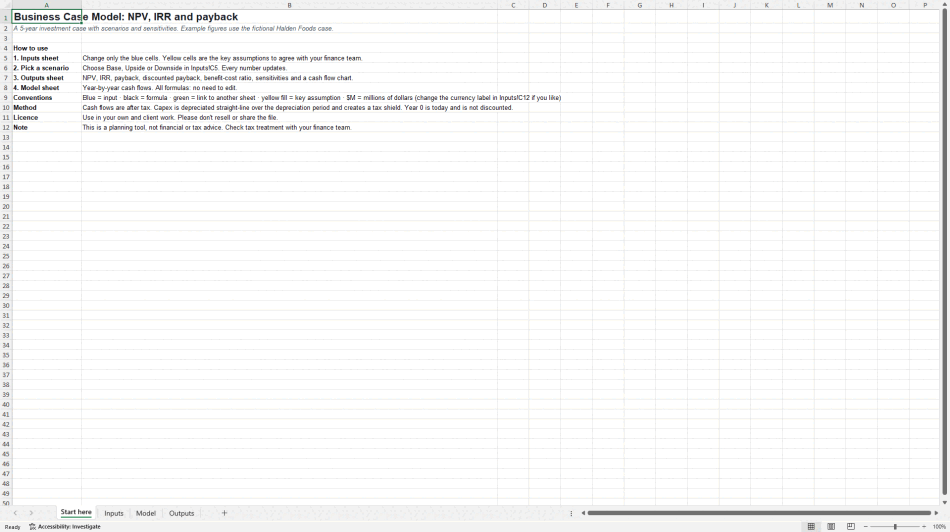
Start here explains how to use the model in five steps and includes a colour key, so anyone picking it up knows which cells to change: blue cells are inputs and black cells are formulas.
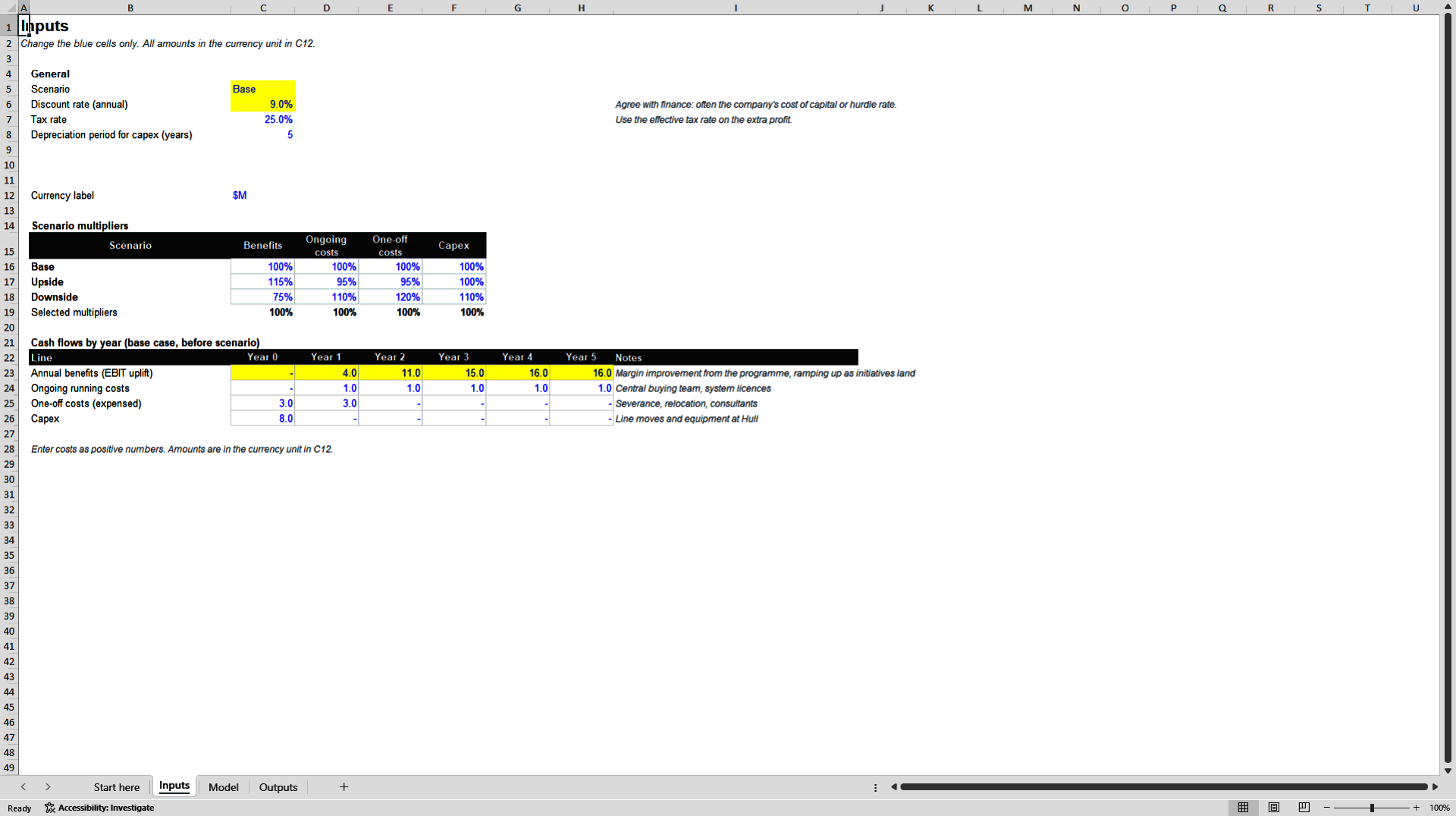
Inputs holds one-time and recurring costs, benefits by year, the discount rate, tax rate, depreciation life and the scenario selector with its multipliers.
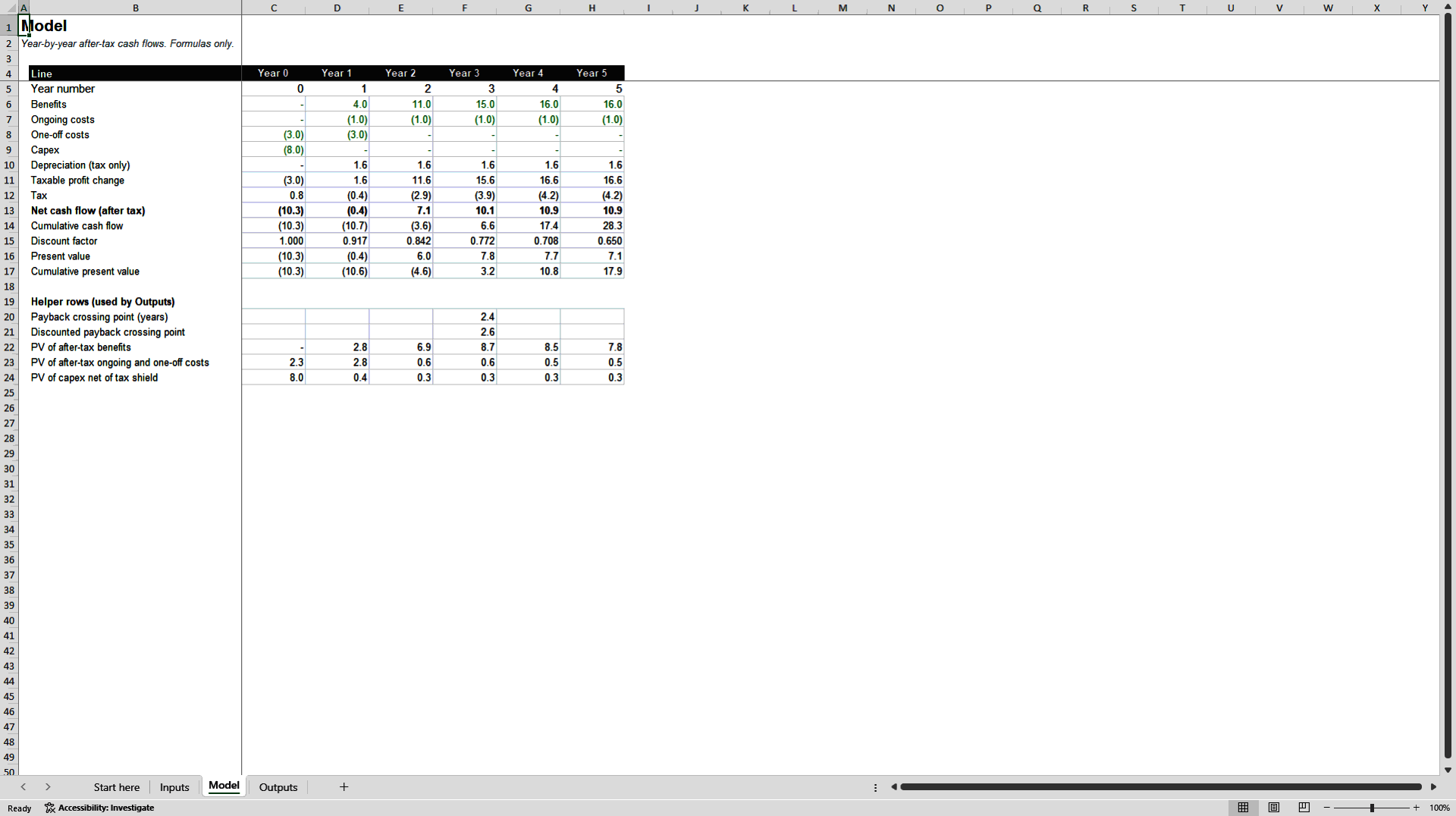
Model builds the year-by-year cash flows, including tax, the depreciation tax shield, cumulative cash flow and discounted cash flow.
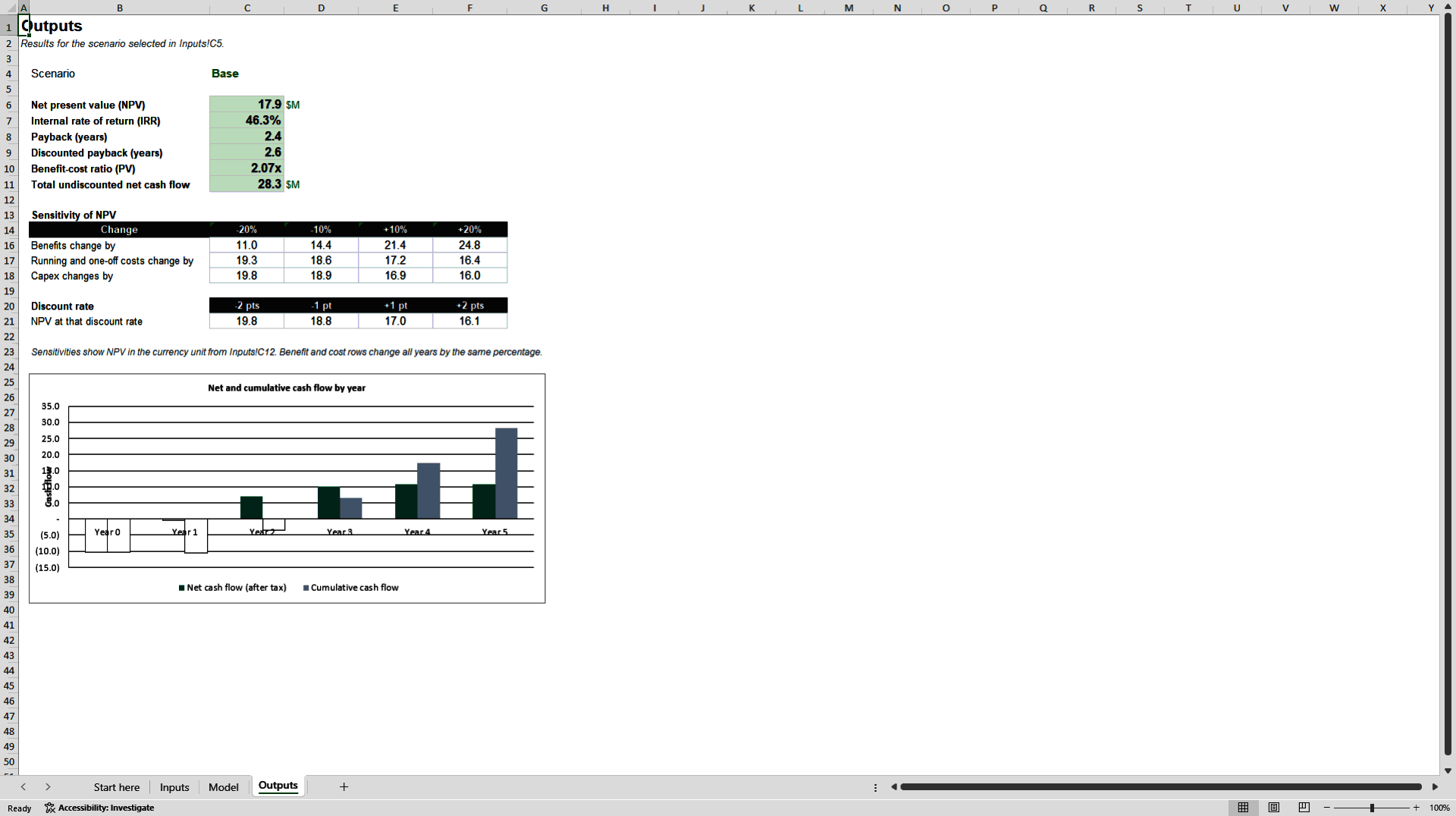
Outputs presents the headline metrics, the sensitivity table and a cash flow chart, ready to copy into a steering committee or investment committee paper.
The model comes with a worked example of a multi-million dollar operations investment that you can overwrite. In the base case it shows a net present value of 17.9 million, an internal rate of return of 46 percent and a payback of 2.4 years.
There are 131 live formulas, with no macros, no hidden sheets and no hard-coded results, so every number can be traced and audited. It works in Excel and in Google Sheets.
This model is for consultants, project and programme managers, product and operations leaders, and anyone who has to justify a project, a system purchase or a transformation to a CFO or investment committee. It is a decision-support template, not financial advice.
Got a question about the product? Email us at support@flevy.com or ask the author directly by using the "Ask the Author a Question" form. If you cannot view the preview above this document description, go here to view the large preview instead.
Source: Best Practices in Business Case Development, Business Case Example Excel: Business Case Model: NPV, IRR and Payback Excel (XLSX) Spreadsheet, Strategy Frameworks