


 Click main image to view in full screen. Unlock all 9 preview images:
Complete Business and Finance Toolkit – Excel XLSX
Excel (XLSX)


BENEFITS OF THIS DOWNLOADABLE EXCEL DOCUMENT
- Provides a complete set of practical financial decision tools covering loans, capital budgeting and break-even analysis in one workbook.
- Delivers clear amortization schedules, NPV/IRR analysis and cost-volume-profit modeling with automatic calculations and charts.
- Includes time-value-of-money reference tabs and a full user manual so users understand both the results and the underlying mechanics.
FINANCIAL MANAGEMENT EXCEL DESCRIPTION
A professional Excel workbook that brings together the core financial decision tools every business owner, manager and analyst needs in one place. Analyze loans, compare financing options, evaluate capital projects, run break-even analysis, and understand the time value of money – all with clear inputs, automatic calculations and visual outputs.
WHAT'S INCLUDED
Business Decision Tools
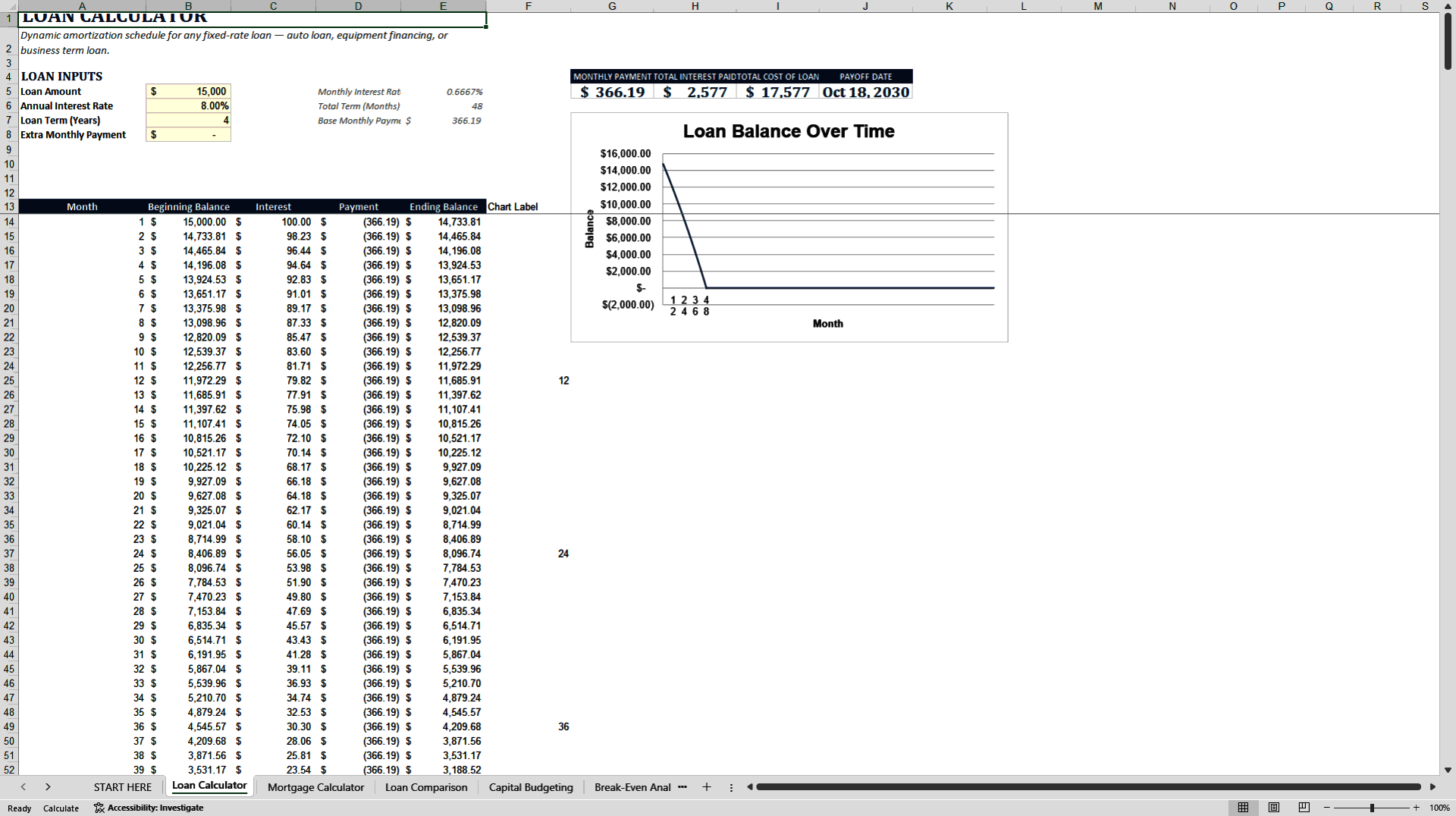
• Loan Calculator – Dynamic amortization schedule for any fixed-rate loan (auto, equipment or business term loan) with optional extra payments and early-payoff modeling
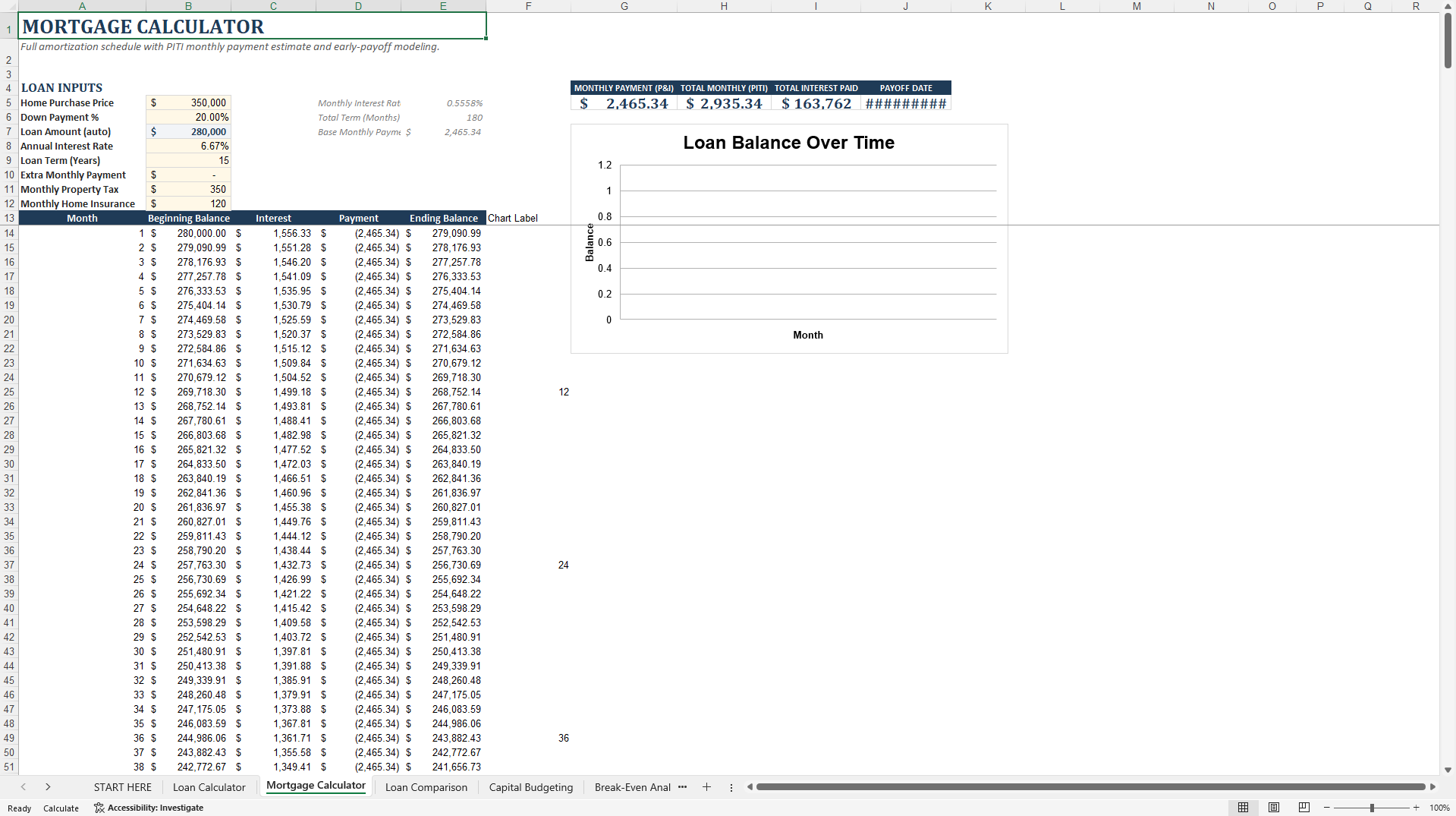
• Mortgage Calculator – Full PITI mortgage schedule including property tax and insurance, plus early-payoff scenario
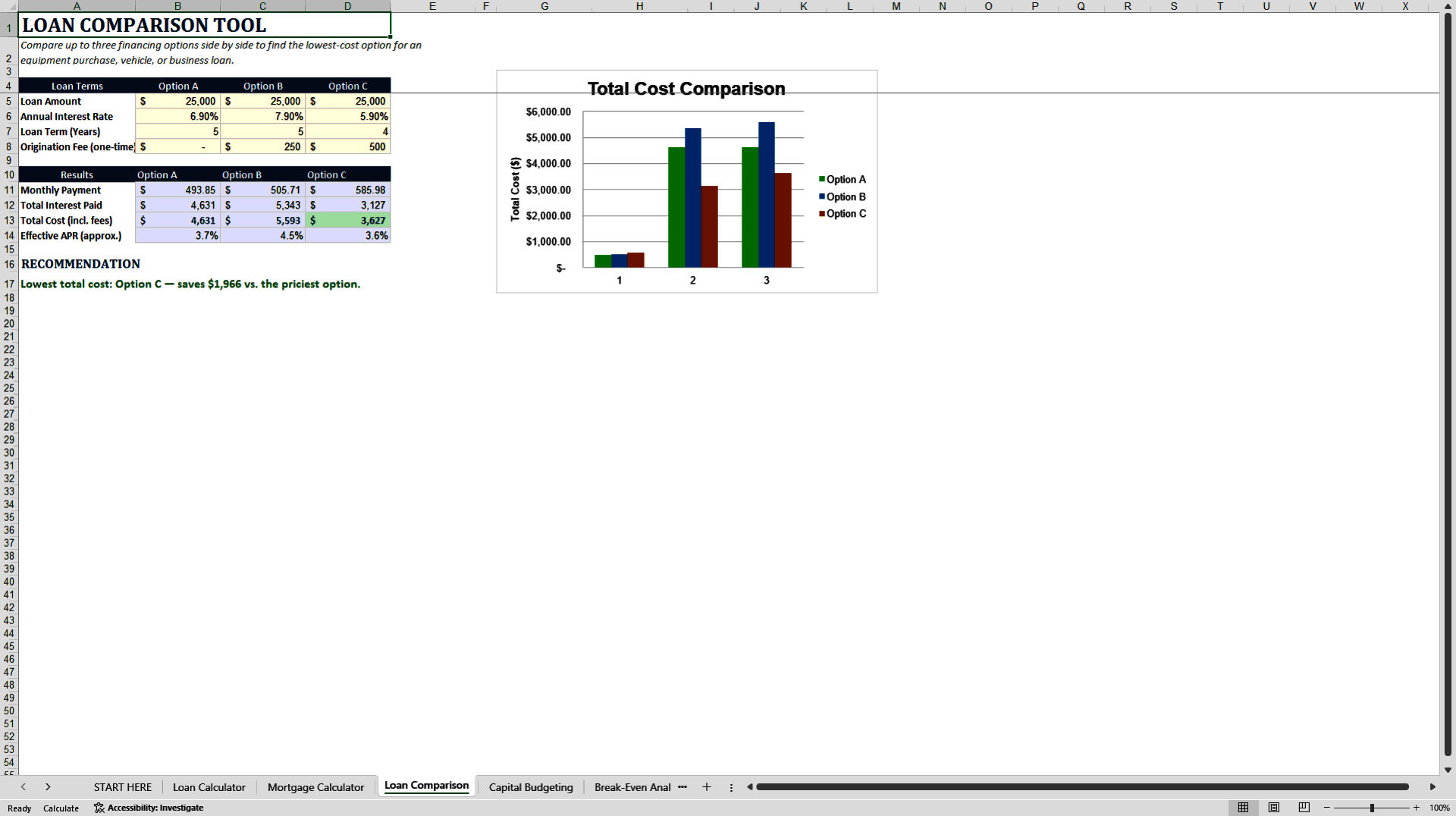
• Loan Comparison – Side-by-side comparison of up to three financing offers with monthly payment, total interest, total cost and approximate effective APR
• Capital Budgeting – NPV, IRR, payback period and profitability index for up to three projects, with accept/reject flags
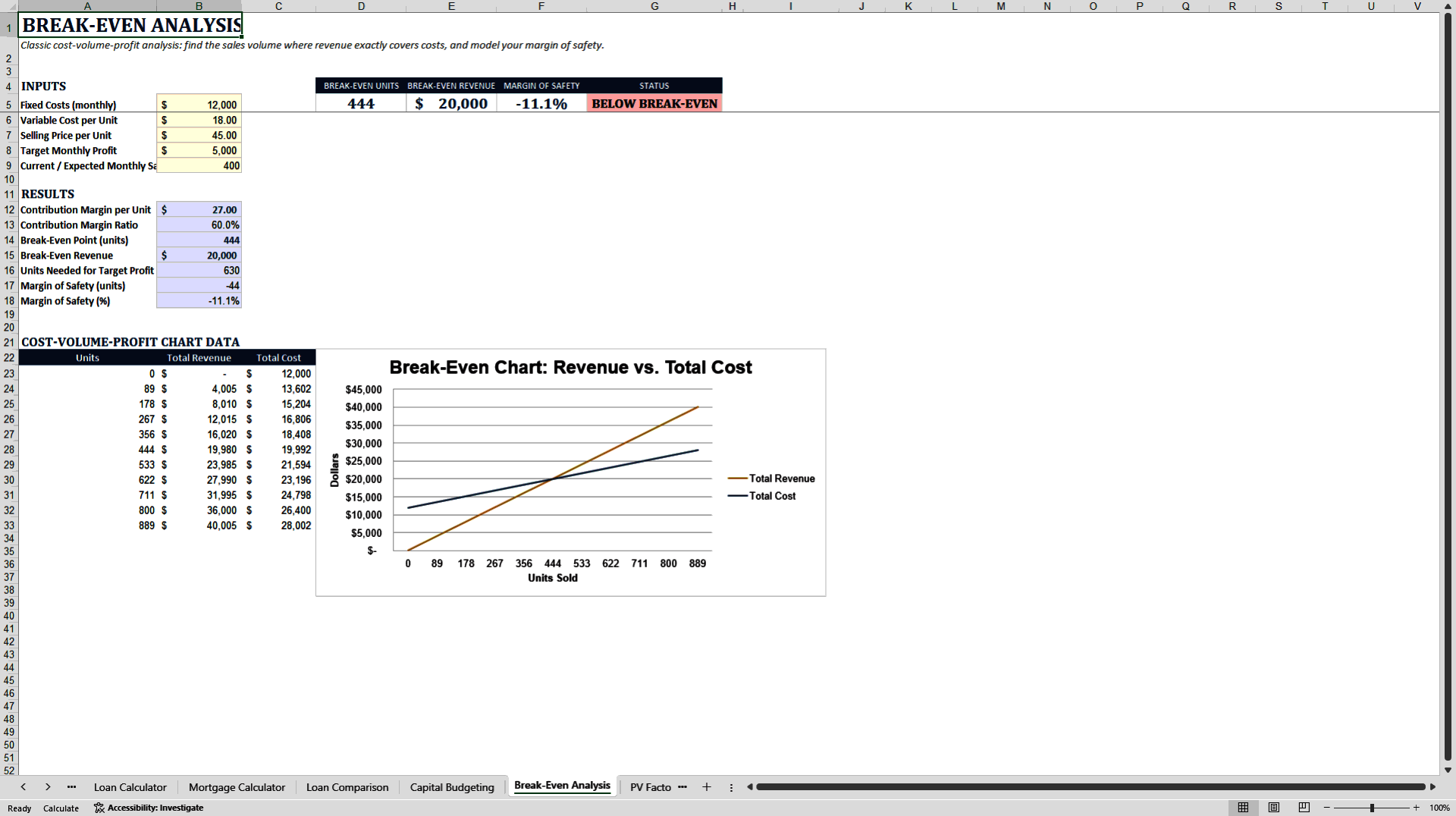
• Break-Even Analysis – Cost-volume-profit analysis with break-even point in units and dollars, margin of safety and target-profit volume, plus chart
Time Value of Money Reference
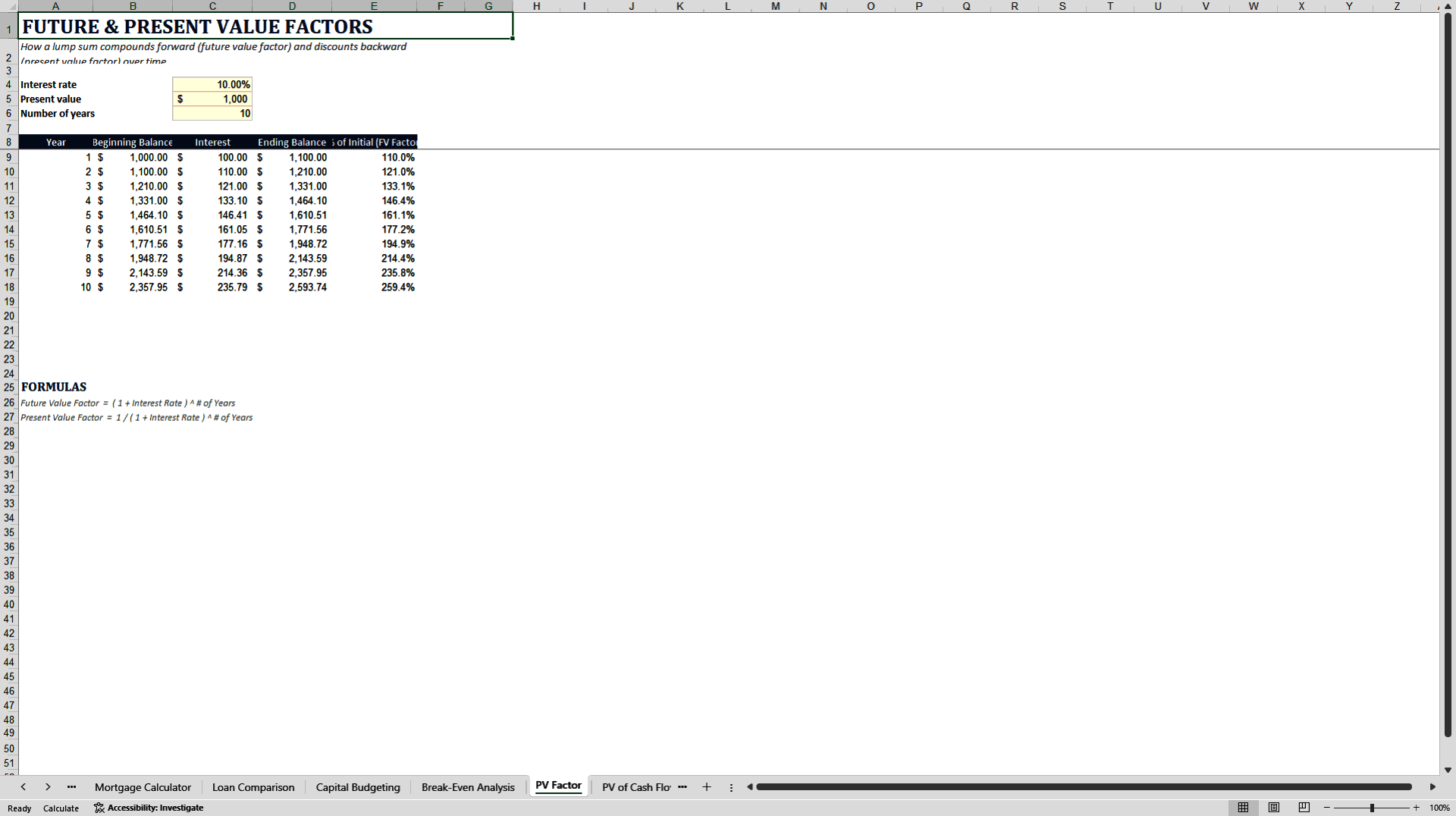
• PV Factor – Future and present value factor derivation
• PV of Cash Flows – Present value as the sum of discounted cash flows
• Functions – PV, NPV, PMT and IRR shown as four equivalent routes to the same answer
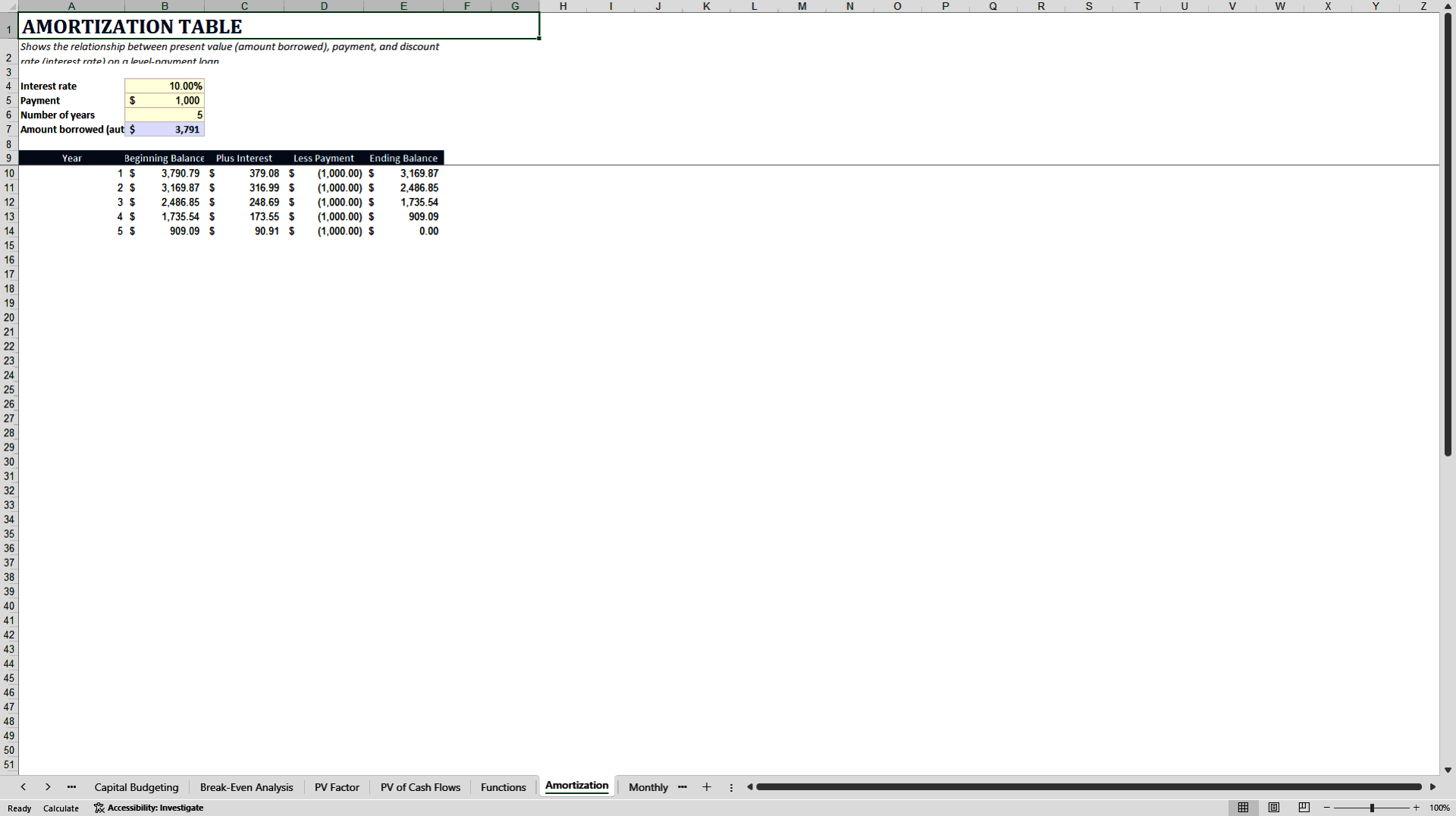
• Amortization – General-purpose level-payment loan amortization
• Monthly Compounding – Nominal vs effective annual rate
Reference
• User Manual – Full walkthrough of every tool and calculation
• License & Terms – Usage rights and version history
KEY FEATURES
• Fully formula-driven – cream cells are inputs, gray cells calculate automatically
• Zero macros and zero ActiveX – opens cleanly in Excel with no security warnings
• Self-terminating amortization tables that stop when the balance reaches zero
• KPI summary bands on every major tool
• Charts where they add value (amortization, break-even, etc.)
• Clear data-entry guidance and guardrails
• Professional User Manual and License included
WHO IT'S FOR
• Small business owners evaluating loans or equipment financing
• Managers and analysts running capital budgeting or break-even analysis
• Finance students and professionals who want a clean working reference for time-value-of-money concepts
• Consultants and advisors who need reliable, ready-to-use decision tools
HOW TO USE
Go to the START HERE tab for the full contents list and quick guidance.
Open any tool tab and enter your numbers only in the cream-colored input cells.
Gray cells and charts update automatically.
Use the User Manual tab for a detailed explanation of every calculation.
TECHNICAL NOTES
• 100% formula-based (no VBA)
• Compatible with Microsoft Excel 2010 and later
• Cream = inputs, Gray = formulas
• Designed for practical business decision-making and financial education
Open the workbook, start with any calculator, and get immediate, accurate results for loans, projects and break-even analysis.
Got a question about the product? Email us at support@flevy.com or ask the author directly by using the "Ask the Author a Question" form. If you cannot view the preview above this document description, go here to view the large preview instead.
Source: Best Practices in Financial Management Excel: Complete Business and Finance Toolkit Excel (XLSX) Spreadsheet, MW & Digitelax Consulting
ABOUT THE AUTHOR

Welcome to the official enterprise resource hub of MW & Digitelax Consulting. Directed by a seasoned banking executive, corporate risk consultant, and financial content strategist with over 28 years of institutional leadership experience, our practice delivers deployment-ready frameworks designed to drive enterprise efficiency, enforce regulatory compliance, and eliminate systemic model risk. ... [read more]
Ask the Author a Question
You must be logged in to contact the author.




























