
 Click main image to view in full screen.


TAX EXCEL DESCRIPTION
The Oak Business Consultant brings you the Salary Tax Calculator Excel Template, made for individuals and Associations of Persons (AOPs) in Pakistan. This tool makes income tax calculation simple just enter your income details and it generates monthly earnings amounts with monthly calculations, and it does the rest. No need to create formulas or figure out complex tax rules.
Why Use This Salary Tax Calculator?
1. No need to be an Excel expert just enter your info monthly basis
2. Pre-set income tax brackets no manual calculations
3. Locked formulas no risk of accidental changes
4. Quick and easy get results in minutes
5. Automatically applies tax rates based on your income bracket and salary amounts
What's Inside the Salary Tax Calculator?
This template has two main sections:
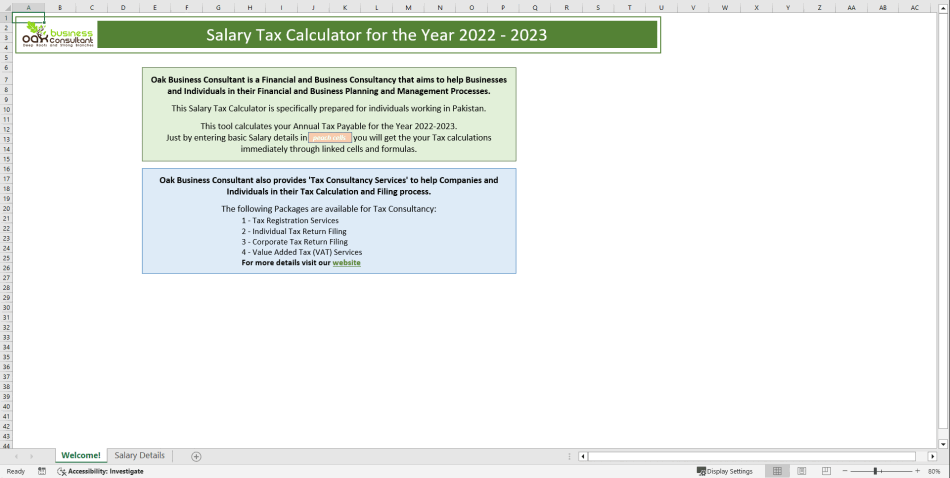
1. Welcome! Page
1. Gives you an overview of the tool and tax filing help
2. Includes a simple guide on income tax and salary calculations
3. Enter your data in peach-colored input cells, and the rest updates automatically
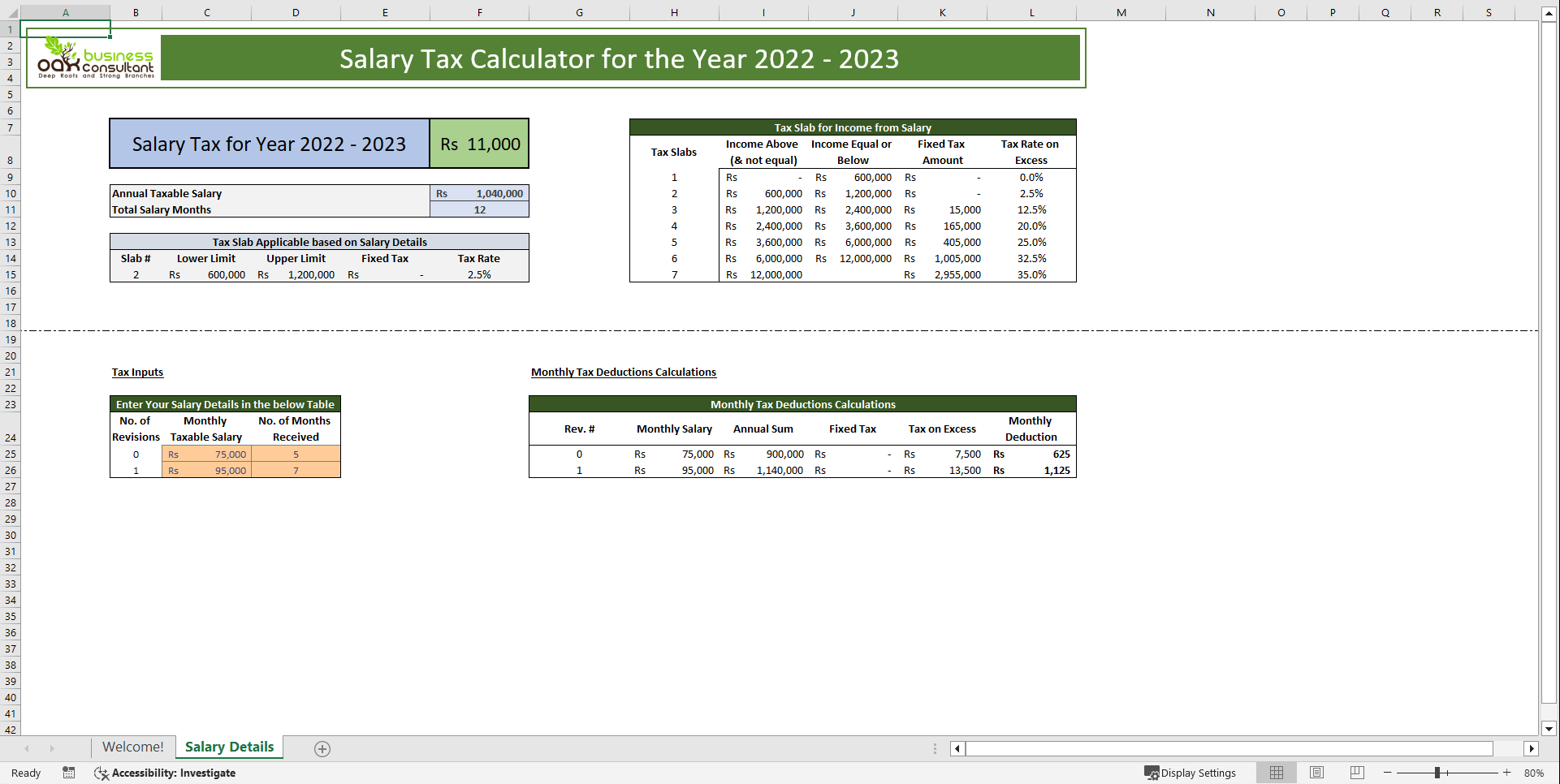
2. Salary Details Tab
This section has four key parts:
A. Results Summary
1. Shows your total annual income tax
2. Breaks down tax liability for different income tax slabs
3. Gives you a quick summary of your taxable income
B. Tax Slabs/Brackets
1. Displays the default income tax brackets for the Tax Year 2022-23
2. Helps you see which tax rate applies to your salary & additional tax brackets
C. Salary Input Details
1. Enter your monthly salary, including any bonuses
2. Specify how many months you've received this salary (12 for full year employment)
3. If your salary changed, enter both the old and new amounts
4. Includes sections for Rent Allowance and Travel Allowance
D. Monthly Salary Deduction Calculator
1. Calculates your monthly tax amount automatically
2. Includes federal tax withholding and employer contributions
3. Shows monthly equivalents of your tax deductions
How to Use the Salary Tax Calculator
Step 1: Enter Your Salary Details
1. Type in your monthly taxable salary as in monthly values
2. Select the current month and add any allowances
Step 2: See Your Monthly Tax Calculation
1. The tool automatically calculates your monthly tax deductions
2. Includes a detailed breakdown of tax structures
3. Allows you to calculate tax on a lump sum if needed
Step 3: Check Your Income Tax Bracket
1. Review which tax bracket applies to you
2. See the tax limits for each bracket
Step 4: View Your Annual Tax Summary
Get a clear picture of your complete details:
1. Total annual tax payable
2. Total salary for the year
3. Overall tax liability maximum limit
Why This Template Works for You
1. Saves Time: No need to set up your own spreadsheet
2. Tried and Tested: Used by many salaried employees with positive feedback
3. Flexible Design: Works for different salary structures
4. Handles Different Tax Regimes: Calculates tax on a monthly or lump sum basis
5. Error-Free: Locked formulas prevent accidental changes
This Salary Tax Calculator Excel Template is a simple and effective way to handle your tax calculations on salary income. Whether you're figuring out monthly deductions, personal income or yearly income, this tool gives you everything you need. Get your income tax returns sorted out today with this easy-to-use template made for salaried persons!
FAQs
1. Do I need Excel skills to use this calculator?
No, it just need you to add basic data.
2. Can I use this template for salary revisions during the year?
Yes! You can input both your old and new salary details.
3. Does this calculator consider allowances like Rent and Travel?
Yes, there are specific fields for adding Rent Allowance and Travel Allowance.
4. Is this calculator useful for both monthly and lump sum tax calculations?
Of course! It calculates tax deductions on a monthly basis and also supports lump sum calculations.
5. Can I make changes to the formulas in this template?
No, the formulas are locked to prevent accidental changes, ensuring accurate calculations.
Got a question about the product? Email us at support@flevy.com or ask the author directly by using the "Ask the Author a Question" form. If you cannot view the preview above this document description, go here to view the large preview instead.
Source: Best Practices in Tax Excel: Salary Tax Calculator Financial Tool Excel (XLSX) Spreadsheet, Oak Business Consultant




























